9 Best Shopify Pricing Apps 2026
Last modified: January 11, 2026

| # | Image | Name | |
|---|---|---|---|
| 1 |

|
Request A Quote
|
|
| 2 |

|
Request A Quote & Hide Prices
|
|
| 3 |
|
Globo Request a Quote
|
|
| 4 |
|
Bulk Products Edit
|
|
| 5 |
|
Simple Bulk Price Editor
|
|
| 6 |
|
Products Bulk Editor
|
|
| 7 |
|
Elfsight Pricing Table
|
|
| 8 |
|
Pricing Table - Pricing Plans
|
|
| 9 |

|
Table Rates Shipping
|
|
|
Show More
|
|||
Request A Quote
With this app, you can add a button on product pages so you can discuss the best prices for a product with customers. You ask customers to send their details or their bid for work. You can also take pricing requests for products or if you are selling a one-of-a-kind item, like an antique, you can take bids on the product. This app is straightforward to use, you don’t need to know any coding, and is ideal for anyone setting up a new website. This app can be used on multivendor websites.
Request A Quote Highlights
- For giving quotes to customers.
- Can take bids for one-of-a-kind items.
- Request bids from potential customers.
- An easy-to-use app.
Request A Quote & Hide Prices
With this app you can hide your product prices and when the customer inquiries about the price you can give them a quote. The options you then have are accept, reject or negotiate. You also get the customers’ contact details. You can hide aspects of your website such as the add to cart button and wishlist among others. When you agree on a price, you can then make up an order for them. This app enables you to hold auctions. It also uses Google’s reCAPTCHA system to avoid spam and bots. This app is suitable for multinational stores as it can be made multilingual.
Request A Quote & Hide Prices Highlights
- Hide the price of your products.
- Customer inquires about your product.
- Make an order when you agree on a price.
- Can be made multilingual.
Globo Request a Quote
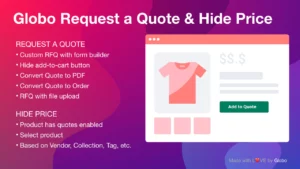
This app offers lots of pricing functions. You can provide quotes and also take bids with this app for your one-of-a-kind and specialist items. You can turn bids and quotes into orders and send your customers to the checkout page to make their transactions. Furthermore, you can hide your add to cart button, so products aren’t purchased at the wrong price.
Globo Request a Quote Highlights
- Take bids on products.
- Set up auctions to take the highest bid for specialist items.
- Take quotes from customers.
- Hide the add to cart button when necessary.
Bulk Products Edit
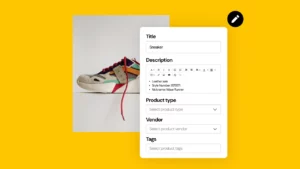
This app allows you to change product prices across a whole catalog for those that have a large catalog. With just a few clicks, you can change prices across the whole store in one go. This makes it so much more convenient for you to amend prices across your store. This app is straightforward to use, and you don’t need web developer knowledge. There is also 24/7 support should you need it.
Bulk Products Editor Highlights
- Manage a large catalog.
- Edit products in bulk.
- Change prices across your store with a few clicks.
- Easy to use app.
- 24/7 support if needed.
Simple Bulk Price Editor
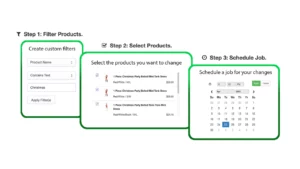
This app will enable you to simply amend prices with a scheduler and help you run an e-commerce Shopify store. You can filter products, so you choose which products you update and for how long this change will take effect. This is a great app for scheduled sales.
You can choose how to amend the price, it might be by a fixed amount or a percentage. This app is very easy to use, and you can change the prices in just a few clicks, you can also instantly revert to a previous price. You can also analyze the results of the app.
Simple Bulk Price Editor Highlights
- Edit prices by percentage or a set amount.
- Schedule the price change and length of time.
- Filter products for a price amendment.
- Simple to use, change prices in just three clicks.
Products Bulk Editor
You can use this app to manage your products by changing the prices of products in bulk using the ‘if’ and ‘then’ commands. This means you can amend the price of a product by collection or product tag. The command will also define how much the product prices will change. This app works with only a few button clicks. It is also constantly in development, so is often improved with small amendments.
Products Bulk Editor Highlights
- Change product prices in bulk.
- Updated regularly by the developers.
- Select which products are changed by tag, collections, etc.
- Uses commands to match products for price changes.
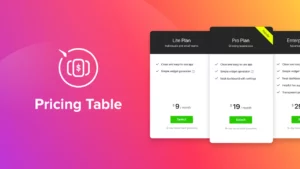
Elfsight Pricing Table
You can have your pricing table as columns or display prices in separate places on your website. You can highlight prices with the best value or that offer you the most value! These templates have a modern design, and you can choose sharp or rounded edges, You can also select the color to match your branding and there are six predefined skins to choose from. You can also add call-to-action buttons to help improve conversions on your Shopify e-commerce website.
Elfsight Pricing Table Highlights
- Add pricing tables.
- Choose a column display.
- Highlight prices with the best value.
- Select the color used for your pricing table.
Pricing Table - Pricing Plans
This is a very straightforward pricing table to use to add an attractive pricing table to your store. There are ten designs to choose from and use a drag-and-drop placement. You can change the colors, so your website matches your branding. It’s really easy to use, and each product can have a button that links to its page. Supports text in any language and is a mobile-friendly app.
Pricing Table - Pricing Plans Highlights
- Easy pricing plan tables.
- Ten predefined designs.
- Drag and drop to customize.
- Choose colors to match your branding.
Table Rates Shipping
This app will help you include a shipping rates table on your Shopify website. You can specify costs dependent on country, state, or postal code or by tag. You can import data from a Google sheet, CSV, or manual input. Rates can be displayed on your shipping calculator.
Table Rates Shipping Highlights
- Shipping rates table.
- Customer tags for special rates
- Input data from a variety of places.
- Offer discounts for special customers.
-
Are these Shopify pricing apps suitable for international businesses?
Many Shopify pricing apps support international businesses. They allow you to set pricing rules and strategies based on different currencies, regions, and languages to accommodate a global customer base.
-
What is the impact of Shopify pricing apps on SEO and search rankings?
While pricing apps focus on pricing strategies, they influence SEO by improving user experience and attracting more customers. Better pricing can lead to increased traffic and search engine rankings.
-
Can I track the performance of my pricing strategies with these Shopify pricing apps?
Yes, most pricing apps provide analytics and reporting features. You can monitor the performance of your pricing strategies, track sales, and analyze customer behavior to make data-driven adjustments.
Shopify Pricing Apps: An In-Depth Comparison
Why Pricing Apps Are Crucial for Your Shopify Store
When it comes to achieving success with your Shopify e-commerce, your pricing strategy plays a pivotal role in shaping your bottom line. Leveraging specialized pricing apps can wield a significant impact.
Exploring the Leading Shopify Pricing Apps
Let’s dig into a comprehensive comparison of the finest Shopify pricing apps available in today’s market. These apps boast a diverse array of features tailored to assist you in crafting a pricing strategy.
Selecting the Ideal Shopify Pricing App
When it comes to choosing the right pricing app for your Shopify store, it’s essential to consider your specific requirements, budget constraints, and the features that hold the most significance for your business.
Factors Influencing Your Pricing Strategy
Competitor Analysis
Understanding your competitors’ pricing strategies can provide valuable insights that allow you to gain a competitive edge in the market. Take the time to analyze how similar products are priced within your industry.
Customer Behavior
When it comes to pricing your products, learn your target audience’s behavior. Ask yourself questions such as, “Are they price-sensitive, seeking the best deal, or do they prioritize quality and are willing to pay a premium for it?”
Profit Margins and Costs
Establishing an optimal pricing strategy requires meticulous attention to detail. This includes factoring in the costs of production and related to shipping, warehousing, marketing, and overheads.
Conclusion: 9 Best Shopify Pricing Apps
When you have a Shopify store, you might want additional product management app to support your pricing. These apps offer a variety of functions. Some will help you amend prices across a large catalog, perhaps for a discount sale, and you can schedule sales for particular dates. Others allow you to compare prices in tables. Which one will you decide is the best Shopify pricing app for your store…