6 Shopify Children’s Clothing Themes for 2026
Last modified: October 11, 2026

| # | Image | Name | Price | Reception | Adoption | CWV pass rate |
|---|---|---|---|---|---|---|
| 1 |

|
Broadcast
|
$420 | (284) | 1.7% | 74.1% |
| 2 |
|
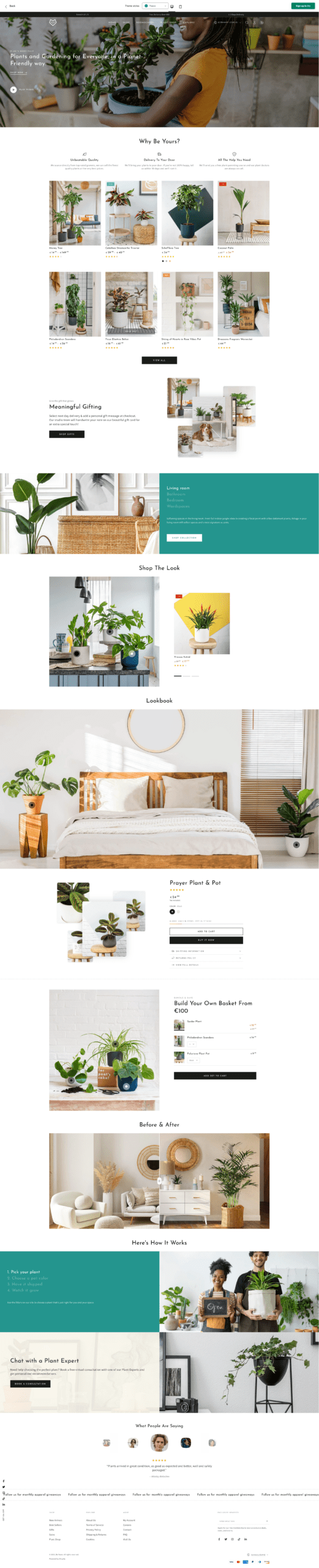
Be Yours
|
$350 | (693) | 1.1% | — |
| 3 |
|
Focal
|
$320 | (335) | 1.0% | 69.6% |
| 4 |
|
Booster
|
$299 | 0.2% | 45.1% | |
| 5 |

|
Envy - Snuggle
|
$320 | (273) | 0.2% | 73% |
| 6 |

|
Honey
|
$400 | (51) | 0.1% | 69.8% |
|
Show More
|
||||||
Data first, opinion second: we track usage across 3.5+ million Shopify stores daily, and have since 2017. The stats tell us what merchants actually use; our editors rank the final picks by quality, pricing, and fit.
How These Themes Compare on Speed
| Theme | CWV pass rate | Few apps | Median LCP |
|---|---|---|---|
| Broadcast | 74.1% | 86.7% | 1.5s |
| Envy | 73% | 72.5% | 1.7s |
| Honey | 69.8% | 77.3% | 1.6s |
| Focal | 69.6% | 81.5% | 1.9s |
| Booster | 45.1% | 46.3% | 2.1s |
Broadcast
Ideal for: Trusted family brands
Broadcast is the most-used theme on baby and kids stores in our data, and it fits a children’s clothing brand that wants to look trustworthy. Its clean, editorial layouts give room for soft lifestyle photography and clear product information, which reassures parents choosing sizes and fabrics for their kids. See where it sits in our Broadcast usage data.
It handles size guides and detailed product pages well, and its fast mobile build suits parents shopping in quick bursts.
Broadcast Highlights:
- Clean, editorial layouts that build parent trust
- Room for soft lifestyle photography
- Handles size guides and detailed pages
- Fast, mobile-first for on-the-go shopping
Broadcast Usage Statistics
Broadcast usage at a glance, from our Shopify store dataset, refreshed daily.
Broadcast Page Speed: Live Data
Be Yours
Ideal for: Ready-made kids stores
Be Yours ships with a dedicated kids preset, so a children’s clothing store gets a purpose-built starting point rather than a general theme bent to fit. It is bright and friendly without clutter, with room for age-band collections and clear size filtering, the things parents actually shop by. That ready-made fit, plus a high review score, is why it lands near the top.
It is widely used on baby and kids stores in our data, a proven base for a playful but polished shop.
For the full picture on its performance and fit, see our Be Yours review.
Be Yours Highlights:
- Dedicated kids preset out of the box
- Age-band collections and size filtering
- Bright and friendly without clutter
- Widely used with a high review score
Be Yours Usage Statistics
Be Yours usage at a glance, from our Shopify store dataset, refreshed daily.
Focal
Ideal for: Premium, natural kidswear
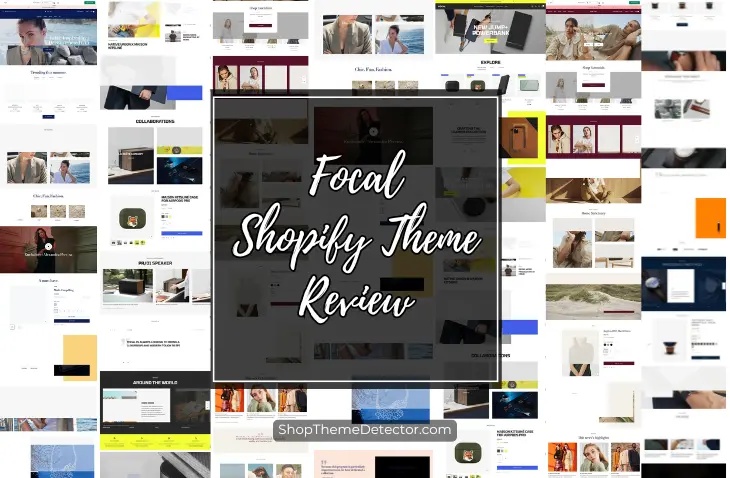
Focal, from Maestrooo, brings a calm, editorial feel that suits premium children’s brands built on natural fabrics and considered design. Its layouts give space to soft lifestyle imagery and curated capsule collections, so a small, thoughtful range looks refined rather than sparse. It ranks among the most-used themes on kids stores, pairing that polish with proven adoption.
For a modern, minimal children’s label, Focal fits well.
See how Focal ranks and performs across our dataset on its stats page.
Focal Highlights:
- Calm, editorial layouts for premium brands
- Space for soft lifestyle imagery
- Makes a small range look considered
- Fast, well-supported Maestrooo theme
Focal Usage Statistics
Focal usage at a glance, from our Shopify store dataset, refreshed daily.
Focal Page Speed: Live Data
Booster
Ideal for: Seasonal sales and marketing

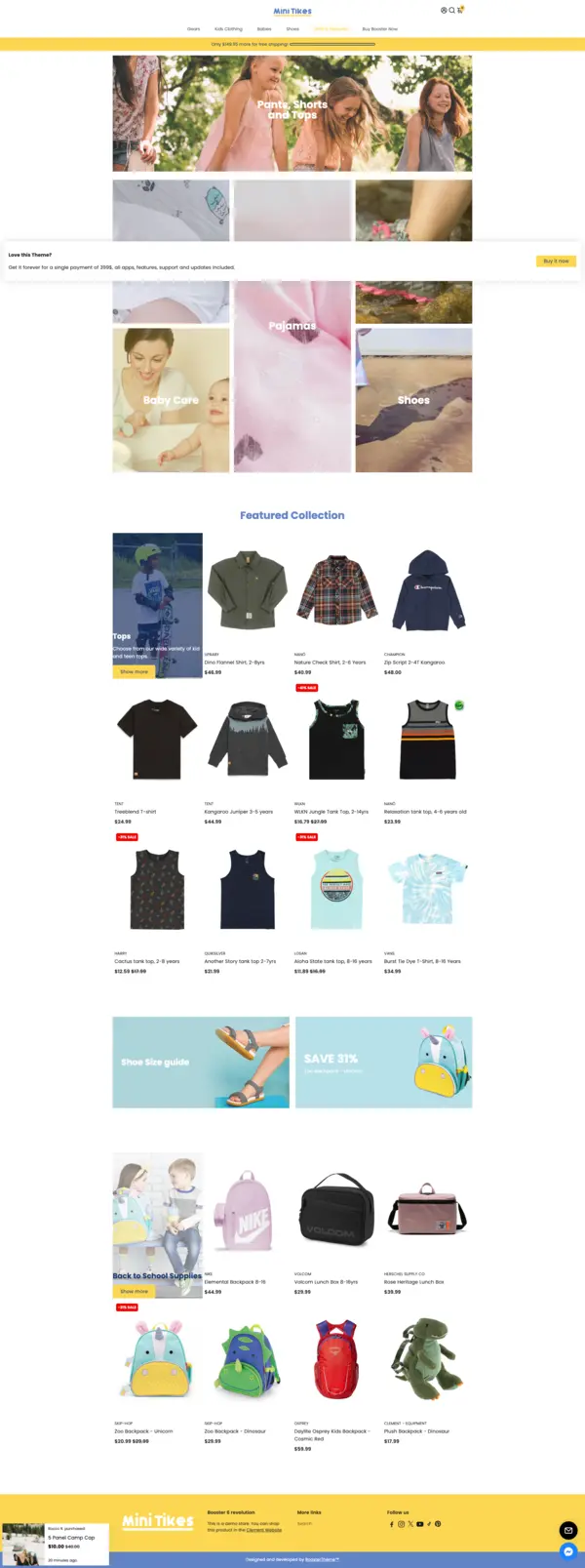
Booster is the pick for a children’s clothing store focused on marketing and seasonal sales. Built-in email capture, popups, and countdown timers help you run back-to-school pushes, seasonal drops, and outfit bundles, all without extra apps. Kids grow fast, so repeat purchases matter, and Booster’s tools help you build a returning parent base.
It is aimed at owners who want an all-in-one setup with no coding, and it is fast.
Booster Highlights:
- Email capture and popups for seasonal sales
- Countdown timers for back-to-school and drops
- All-in-one setup with no extra apps
- Fast, mobile-first performance
Booster Usage Statistics
Booster usage at a glance, from our Shopify store dataset, refreshed daily.
Booster Page Speed: Live Data
Envy - Snuggle
Ideal for: Bold, playful children's lines
Envy’s Snuggle style is the playful pick, made for children’s brands built on bright patterns, bold prints, and wearable whimsy. It suits colourful, fun kidswear lines that want the store to feel as cheerful as the clothes.
It turns up on fewer stores than the mainstream themes, but that bold, cheerful look is exactly what a playful kidswear brand is after.
Envy Highlights:
- Bright patterns and bold, playful design
- Suits colourful, fun kidswear lines
- Personality-led layouts
- A cheerful feel that matches the clothes
Envy Usage Statistics
Envy usage at a glance, from our Shopify store dataset, refreshed daily.
Envy Page Speed: Live Data
Honey
Ideal for: Natural, slow-fashion kids
Honey is a minimalist, earthy theme made for children’s brands rooted in slow fashion and natural materials. Its soft palette and calm layouts suit organic baby and toddler clothing and gentle, considered ranges. For a brand that sells on craft and calm, Honey frames it beautifully.
It is a smaller name than the top picks, but for the understated, natural end of kidswear it fits beautifully.
Honey Highlights:
- Minimalist, earthy design
- Soft palette for natural and organic ranges
- Suits slow-fashion kidswear
- Calm, considered layouts
Honey Usage Statistics
Honey usage at a glance, from our Shopify store dataset, refreshed daily.
Honey Page Speed: Live Data
-
What’s the best Shopify theme for a children’s clothing store?
The ‘best’ theme depends on your specific brand direction (slow fashion vs playful brights vs minimalist), but the features that matter for any children’s clothing store are consistent: built-in size guide support, age-based filtering (not just size-based), color swatches with image swap, mobile-first product pages with sticky add-to-cart, and fast page speed for image-heavy lifestyle photography. Premium themes like Broadcast, Honey, and Be Yours cover these needs out of the box. The free Dawn theme covers the basics but lacks the polished kidswear-specific UX. Match the theme to your aesthetic direction first, slow-fashion brands and playful brands need different visual languages, then verify the kidswear feature checklist before committing.
-
Do I need a special Shopify theme for selling kids clothing?
You don’t technically need one, any Shopify theme can list children’s clothing. But themes built with kidswear in mind handle the specific patterns that drive conversion in this category: size and age filtering combined, prominent size guides, color swatch displays, soft lifestyle photography handling, and trust signals near the buy box (materials, care instructions, return policy). Generic fashion themes designed for adult apparel often miss the age-filtering nuance and bury size guide links. The cost of picking a generic theme isn’t catastrophic, you can compensate with apps and customization, but a theme already designed for the category saves both money and the time you’d spend layering on features that should have been built in.
-
What features matter most for a kids clothing Shopify theme?
Five features make the biggest difference for kidswear conversion: (1) age-based filtering as the primary navigation lens, with size filtering as a secondary refinement; (2) built-in size guide support that doesn’t require an extra app, typically a modal or pop-up directly on the product page; (3) color swatches that swap the product image when clicked, so parents can see the actual color before adding to cart; (4) mobile-first product pages with sticky add-to-cart, since most kidswear shopping happens on phones; (5) fast page speed despite image-heavy lifestyle photography, themes with native lazy loading and WebP support handle this well. Beyond features, look for themes that surface materials information (cotton content, organic certification) prominently rather than burying it in product description tabs.
-
Are free Shopify themes good enough for a children’s clothing store?
For a small store with under 50 products and a tight launch budget, Shopify’s own free Dawn theme covers the basics, product listings, variant selectors, mobile-responsive layouts, fast page speed. The trade-offs vs paid themes: weaker out-of-box filtering (no easy age-band UX), no built-in size guide modal, no native color-swatch image swap, and a more generic aesthetic that doesn’t differentiate your store visually. For a stub launch you can stretch Dawn with the right apps for size guides and filtering. Once you grow past 100 products or want a kidswear-specific aesthetic, a paid theme designed for children’s clothing pays for itself within months in conversion gains and saved app subscription costs.
-
How much should I budget for a Shopify children’s clothing theme?
The paid themes on this list run from $320 for Focal to $420 for Broadcast and Envy, each a one-time purchase with lifetime updates. Be Yours is $350 and Honey is $400. Booster is sold as a separate all-in-one package that bundles conversion tools, which can work out cheaper than buying a theme plus a stack of separate apps. Budget a little more for any premium apps you add on top.
-
Can I customize a Shopify theme to add age-based filtering myself?
Yes, though the approach depends on your theme. Most modern Shopify themes use tag-based collection filtering, so you can add age-band tags (Newborn, 0-12m, 1-3y, 4-6y, 7-10y, 11-14y) to every product and configure the collection page filter to show these tags. Themes like Envy Snuggle and Broadcast already structure their navigation around age bands, which means no custom work. For themes that don’t, a free Shopify app like Smart Product Filter or Boost Commerce can layer age-band filtering on top of any theme in about an hour of setup, with no code changes required.
Choosing a Children’s Clothing Theme
The right children’s clothing theme depends on your brand. Broadcast and Focal give trusted, editorial layouts for premium and natural lines, while Be Yours is the closest to a ready-made kids theme with its dedicated preset. Envy brings bold, playful energy, and Honey suits calm, slow-fashion ranges. Booster is the all-in-one pick if seasonal marketing drives your sales.
Whichever you choose, make sizing and materials easy to find, keep photography soft and clear, and stay fast on mobile, since parents shop in short bursts. Browse the full range in our Shopify clothing themes guide, or see our baby, kids and toys picks.