15 Shopify Themes in 2026
Last modified: August 24, 2026

| # | Image | Name | Price | Reception | Adoption | CWV pass rate |
|---|---|---|---|---|---|---|
| 1 |

|
Broadcast
|
$420 | (280) | 1.7% | 74.4% |
| 2 |

|
Symmetry
|
$420 | (390) | 1.4% | 80.7% |
| 3 |

|
Concept
|
$400 | (642) | 1.4% | 78.3% |
| 4 |

|
Be Yours
|
$350 | (679) | 1.2% | — |
| 5 |

|
Palo Alto
|
$420 | (312) | 0.9% | — |
| 6 |

|
Motion
|
$420 | (557) | 0.8% | 58.2% |
| 7 |

|
Pipeline
|
$360 | (209) | 0.8% | 70.3% |
| 8 |
|
Expanse
|
$420 | (338) | 0.4% | 62.8% |
| 9 |

|
Flow
|
$320 | (383) | 0.3% | 68.5% |
| 10 |
|
Booster
|
$39 | 0.2% | 43.7% | |
| 11 |

|
Yuva
|
$330 | (126) | 0.2% | 55.4% |
| 12 |

|
Sahara
|
$400 | (106) | 0.1% | 77.8% |
| 13 |
|
Beyond
|
$420 | (75) | <0.1% | 76.7% |
| 14 |
|
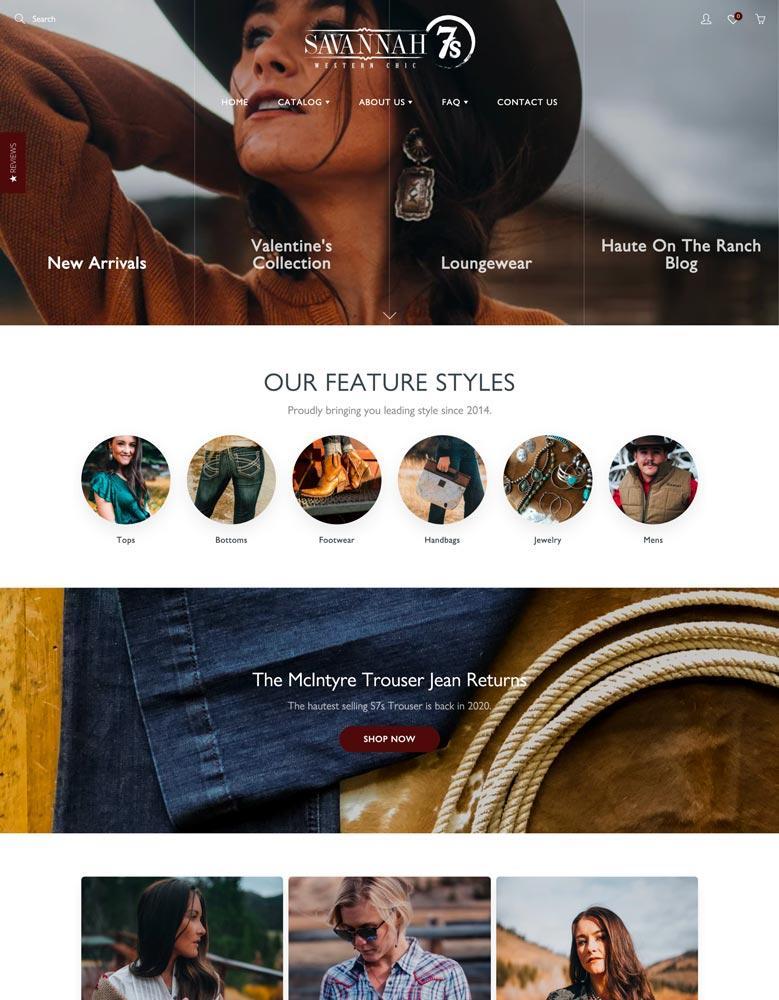
Galleria
|
$300 | (162) | <0.1% | 50% |
| 15 |

|
Mavon
|
$280 | (31) | <0.1% | — |
|
Show More
|
||||||
Data first, opinion second: we track usage across 3.5+ million Shopify stores daily, and have since 2017. The stats tell us what merchants actually use; our editors rank the final picks by quality, pricing, and fit.
How These Themes Compare on Speed
| Theme | CWV pass rate | Few apps | Median LCP |
|---|---|---|---|
| Symmetry | 80.7% | 89.1% | 1.6s |
| Concept | 78.3% | 87.7% | 1.5s |
| Sahara | 77.8% | 88.9% | 1.6s |
| Beyond | 76.7% | — | 1.6s |
| Broadcast | 74.4% | 85.4% | 1.5s |
| Pipeline | 70.3% | 77.9% | 1.7s |
| Flow | 68.5% | 84.8% | 1.9s |
| Expanse | 62.8% | 71.9% | 2s |
| Motion | 58.2% | 61.3% | 2.1s |
| Yuva | 55.4% | 79% | 2.2s |
| Galleria | 50% | — | 1.6s |
| Booster | 43.7% | 48.2% | 2.1s |
Broadcast
Ideal for: Editorial, content-led brands
Broadcast is a performance-driven Shopify theme designed for brands that lean heavily on bold visuals, storytelling, and social proof to convert visitors into customers. With strong video support, quick-buy functionality, and a clean editorial layout, it’s built to turn attention into action, especially for fashion labels, skincare lines, lifestyle brands, and creator-led businesses.
Whether you’re launching a new streetwear drop, showcasing beauty routines, or running a home decor brand with a strong social presence, Broadcast gives you the tools to connect visually and convert quickly.
Broadcast Theme Highlights
- Shoppable Video Integration
Embed videos directly into banners or product pages to make your content sell. - “Shop the Look” Sections
Showcase full outfits or bundles that customers can buy in one click. - Quick Add-to-Cart
Let shoppers add items to their cart instantly without leaving the page. - Visual-Focused Homepage Builder
Combine headlines, imagery, and layered content to tell your brand story. - Social Proof Integration
Easily display reviews, testimonials, or press mentions to build trust. - Flexible Promo Sections
Highlight product launches, discounts, or new arrivals without extra apps.
Final Verdict on Broadcast
Broadcast is an ideal Shopify theme for brands that market visually whether you’re selling fashion, beauty products, wellness kits, or curated lifestyle collections. If your business thrives on content, campaigns, and community, Broadcast gives you a storefront that looks like a lifestyle magazine but sells like a conversion engine.
Broadcast Usage Statistics
Broadcast usage at a glance, from our Shopify store dataset, refreshed daily.
Broadcast Page Speed: Live Data
Symmetry
Ideal for: Large or growing catalogs
Symmetry is one of Shopify’s most popular themes for stores with large or growing product catalogs. It’s built around the idea of balance, between content and commerce, visuals and function, brand and product. Whether you’re selling apparel, accessories, tech, or lifestyle goods, Symmetry offers structure without rigidity.
Its clean layout and strong organizational features make it ideal for stores that need to display multiple collections while still keeping the experience intuitive and conversion-friendly. For a closer look at its performance and adoption, see our Symmetry review.
Symmetry Theme Highlights:
- Multi-Level Menus: Advanced navigation system lets you organize categories and subcategories without clutter
- Quick Shop Functionality: Allows customers to view product details and add items to cart from collection pages
- Built-In Product Filtering: Refine by size, color, price, and more, ideal for large inventories
- Modular Content Sections: Easily customize homepage and landing pages with drag-and-drop blocks
- Visual Storytelling: Use banners, slideshows, and collection headers to support branding alongside product displays
- Cross-Sell and Up-Sell Ready: Built-in sections for showcasing related products and promoting bundles
Final Verdict on Symmetry
Symmetry is a reliable, conversion-focused Shopify theme designed to grow with your business. It shines when used by merchants with larger catalogs and a clear product hierarchy, and it’s particularly strong in fashion, accessories, and lifestyle industries. If your store demands structure, flexibility, and visual clarity, Symmetry is a safe and strategic choice.
Symmetry Usage Statistics
Symmetry usage at a glance, from our Shopify store dataset, refreshed daily.
Symmetry Page Speed: Live Data
Concept
Ideal for: Visual product brands
The Concept theme is designed for brands that thrive on visuals, product versatility, and high-end aesthetics. Perfect for lifestyle brands, fashion labels, accessories, and boutique collections, Concept mixes sleek design with bold presentation, helping you craft a brand story, not just a store.
It’s especially great for merchants who want to highlight details, use lookbook-style imagery, and create an immersive brand experience.
For a closer look at its two styles and live data, see our Concept review.
Concept Theme Highlights
- Editorial-Led Layouts: Tell your brand story like a magazine
- Multiple Product Grids: Great for highlighting collections or categories
- Lookbook Sections: Show how products pair or are styled together
- Clean Hover Effects: Let images speak without clutter
- Built-In Product Badges: Great for new arrivals, best-sellers, or limited drops
- Mobile-First Experience: Fast, responsive, and optimized for every screen
- Drag-and-Drop Customization: Create layouts that match your brand, no code required
- Built-In Promo Sections: Highlight discounts, bundles, or limited editions without needing apps
Final Verdict
If you’re looking for a refined Shopify theme that feels more like a curated experience than a catalog, Concept is a powerful choice. It blends premium design with intuitive navigation and is ideal for brands that want to sell with emotion, story, and style.
Whether you’re launching a fashion line, a lifestyle brand, or a design-focused product store, Concept gives you the flexibility and polish to stand out.
Concept Usage Statistics
Concept usage at a glance, from our Shopify store dataset, refreshed daily.
Concept Page Speed: Live Data
Be Yours
Ideal for: Small or single-product stores
Be Yours is a premium Shopify theme designed for brands that want flexibility, bold design, and clean navigation. Whether you’re running a boutique clothing store, selling accessories, or launching a lifestyle brand, Be Yours gives you powerful customization with a modern, polished look.
For a full breakdown of its styles and live data, see our Be Yours review.
Be Yours Theme Highlights
- Quick Add-to-Cart: Improve conversions with less friction
- Color Swatches & Variant Pickers: Let customers choose options easily
- Sticky Header & Smart Navigation: Keep shoppers oriented as they browse
- Mobile-Optimized: Designed for flawless mobile performance
- Flexible Sections Everywhere: Build any layout with drag-and-drop blocks
- Cross-Selling Features: Show recommended or matching products smoothly
- Age Verification & In-Store Pickup Options: Built-in for niche needs
Final Verdict
Be Yours is one of the most versatile Shopify themes out there. With four distinct styles, it covers a broad range of aesthetics from minimalist and luxurious to bold and trendy. It’s perfect for brands that want design flexibility without compromising on performance or usability.
Whether you’re launching a new store or upgrading an existing one, Be Yours gives you the tools and layouts to make your brand unforgettable.
Be Yours Usage Statistics
Be Yours usage at a glance, from our Shopify store dataset, refreshed daily.
Palo Alto
Ideal for: Small, premium stores
If you want a clean, modern theme for a small or growing store, Palo Alto is worth a look. It comes as five distinct styles under one license, so you can set the basic design of your site and then customize it with your own images, text, and colors.
The theme gives products room to breathe. High-resolution imagery and hero videos let customers see products in detail, and you can place those videos across the site, including the product and home pages. Testimonial sections add social proof where it counts.
Palo Alto Highlights:
- Suits small and growing stores
- Loads quickly, which helps conversions and bounce rate
- Promote featured products on the homepage
- Masonry-style grid for flexible layouts
See our full Palo Alto review for the style-by-style breakdown, or the live usage data below.
Palo Alto Usage Statistics
Palo Alto usage at a glance, from our Shopify store dataset, refreshed daily.
Motion
Ideal for: Animation and video brands
Motion is a best Shopify theme designed for brands that want to turn product pages into visual experiences. Known for its smooth animations, clean aesthetic, and built-in video support, Motion helps merchants create a dynamic, professional storefront without sacrificing speed or usability.
Perfect for fashion, accessories, beauty, or any product that benefits from emotion-driven marketing, Motion brings editorial storytelling and ecommerce together in a smooth layout.
Motion Theme Highlights
- Smooth Animations: Subtle scroll effects and section transitions bring your store to life without feeling gimmicky
- Video Integration: Use videos in product pages, banners, or backgrounds to tell a richer product or brand story
- Product Focused Layouts: Large image support, hover effects, and variant previews help products stand out
- Quick View + Quick Buy: Streamline the buying process with minimal clicks
- Lookbook and Lifestyle Sections: Showcase collections in context for better cross-selling and inspiration
- Sticky Navigation: Keeps key navigation visible as customers scroll through longer pages
- Customizable Content Blocks: Easily arrange homepages, story sections, and landing pages with no coding required
Final Verdict om Motion
Motion is ideal for brands that rely on visual identity, customer emotion, and high-end presentation. It’s a theme that lets you showcase products like a magazine while keeping the ecommerce flow smooth and efficient. If your store thrives on storytelling, through imagery, video, or design, Motion delivers polish and performance in equal measure.
Motion Usage Statistics
Motion usage at a glance, from our Shopify store dataset, refreshed daily.
See the Motion store data and our full Motion review for detail.
Motion Page Speed: Live Data
Pipeline
Ideal for: Luxury brands
Pipeline is a minimalist Shopify theme designed for merchants who want clarity, performance, and visual sophistication. It’s ideal for stores with medium to large catalogs, thanks to its structured layouts, layered content blocks, and built-in tools that enhance navigation and storytelling.
What makes Pipeline stand out is its balance between simplicity and depth. While the design remains clean and distraction-free, the structure allows you to guide shoppers through your product range with ease.
Pipeline Theme Highlights
- Large Image Support: Showcase products with oversized, high-quality visuals for an editorial feel
- Sticky Navigation: Keep menus accessible as users scroll, improving user flow and reducing bounce
- Advanced Filtering: Help customers browse by category, color, size, or other tags, especially useful for large inventories
- Quick Shop Features: Let users view product details and add to cart without leaving the page
- Mobile-First Performance: Fully responsive and optimized for speed on any device
- Modular Sections: Build dynamic homepages with drag-and-drop content blocks, no custom code needed
- Built-In Storytelling: Integrated support for lookbooks, featured collections, and brand-focused content
- SEO-Friendly: Clean code and fast load times support better visibility on search engines
Final Verdict on Pipeline
Pipeline is a smart choice for brands that want to scale without sacrificing design. It gives you the tools to manage larger catalogs while maintaining a high-end, curated look. With smooth navigation, conversion-friendly features, and mobile optimization baked in, Pipeline is ideal for modern brands that care about both form and function.
Pipeline Usage Statistics
Pipeline usage at a glance, from our Shopify store dataset, refreshed daily.
See the Pipeline store data and our full Pipeline review for detail.
Pipeline Page Speed: Live Data
Expanse
Ideal for: Large catalogs
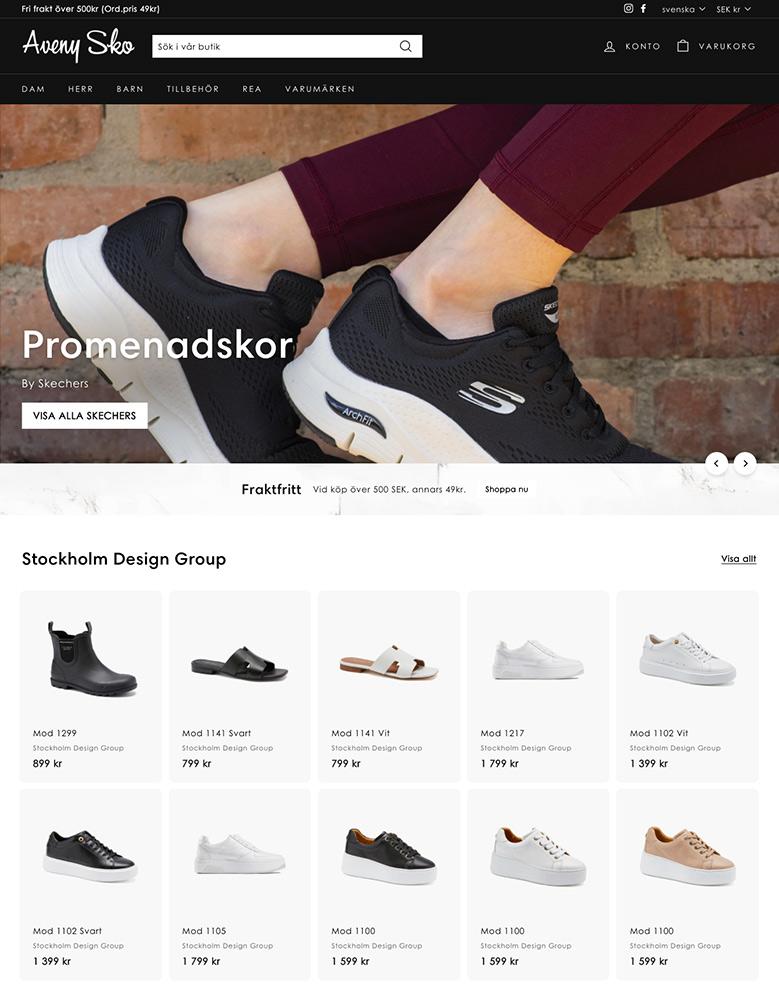
This theme, which is perfect for large catalogs, can offer your customers an experience like few other themes. You can sell your best products right from your website’s homepage with a quick buy option that allows customers to add products with just a click and without accessing the product description page at all.
You’re also able to cross-promote collections by using custom collection tiles that can be displayed in other collections. This is ideal for cross-selling. These tiles can also be used for additional promotions of discounts and more.
Navigation and product discovery is really another standout item in this theme. The homepage menu lists can be customized and are perfect for large websites with lots of collections and categories. There is also a customizable collection sidebar filter.
Expanse Highlights:
- Can offer better navigation on your website.
- Allow for local pickups of your products.
- It is the perfect solution for those brands that want to sell custom products.
Expanse Usage Statistics
Expanse usage at a glance, from our Shopify store dataset, refreshed daily.
Expanse Page Speed: Live Data
Flow
Ideal for: Wellness, skincare, food
The Flow theme is built for brands that want sleek design, bold imagery, and modern simplicity. Whether you’re running a fashion label, accessories brand, or high-end product line, Flow helps you create a visually immersive store that keeps shoppers focused on the product and nothing else.
It’s known for smooth animations, modular layouts, and a strong editorial vibe that doesn’t sacrifice speed or clarity.
Flow Theme Highlights
- Product-Centered Design: Emphasizes visuals and product features
- Modular Homepage: Drag-and-drop sections for flexible layouts
- Promotional Tools: Built-in banners and callouts for limited offers or best sellers
- Smooth Animations: Creates a polished browsing experience
- Quick View & Hover Effects: Streamline the shopping journey
- Sticky Header: Keeps navigation accessible while scrolling
- Integrated Social Proof: Highlight testimonials, press features, or reviews
Final Verdict
Flow is a top choice for brands that want to look premium, modern, and clean without overcomplicating things. It’s especially great for businesses that rely on strong visuals and minimal copy to sell, making it perfect for fashion, accessories, or curated product lines.
With its balance of style and simplicity, Flow delivers a streamlined Shopify experience that keeps the focus on your products while providing a smooth, elegant user journey from homepage to checkout.
See our Flow usage data for where it sits across live stores.
Flow Usage Statistics
Flow usage at a glance, from our Shopify store dataset, refreshed daily.
Flow Page Speed: Live Data
Booster
Ideal for: Marketing-led stores

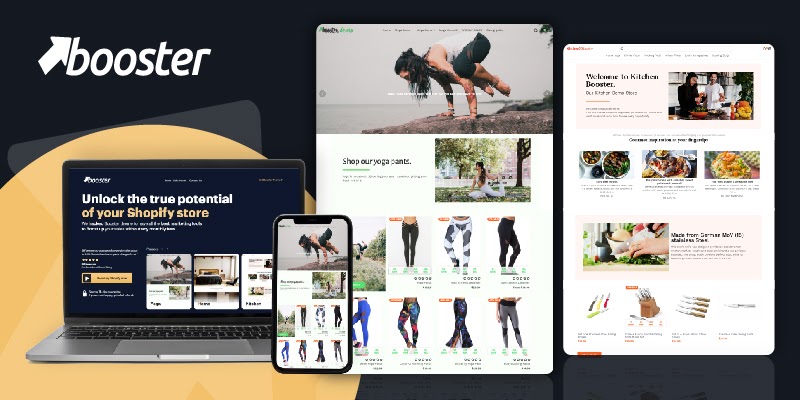
Booster sounds fast and it is. And in the eCommerce world speed makes a difference. In addition to a conversion-friendly design, it also comes with features like multicurrency, multilingual.
Add countdown timers, call-to-action buttons, a popup builder, live chat and more. You can also use social proof options.
There are also options on the theme when it comes to your website’s abandoned cart rate to help you reduce the revenue loss.
Booster Highlights:
- You’re able to save more than $3000 on app subscriptions with additional functions that are available built-in on this theme.
- A speedy website theme that can load a website within one second, allowing for a higher ranking.
- Convert more visitors to your website with better functions on your website.
- Easy to improve your website’s look with aesthetically pleasing designs.
Booster Usage Statistics
Booster usage at a glance, from our Shopify store dataset, refreshed daily.
Booster Page Speed: Live Data
Yuva
Ideal for: Bold, high-energy brands
Yuva is a bold, high-energy Shopify theme built for brands that want to connect with shoppers through visuals, motion, and modular storytelling. Designed to support growth across industries, especially fashion, accessories, and lifestyle, Yuva offers a mix of aesthetic flexibility and conversion-focused features.
Its layouts are dynamic but structured, giving you plenty of freedom to showcase new arrivals, bundles, and promotions without overwhelming the customer.
Yuva Theme Highlights
- Striking Visual Hierarchy: Large banners, curated grids, and layered image blocks keep the user’s attention focused
- Homepage Video Support: Feature brand videos or campaign trailers to lift your storytelling
- Built-In Product Highlights: Showcase features like materials, usage, or benefits without custom code
- Mega Menu Navigation: Supports deep catalogs while keeping browsing simple and clean
- Customizable Layouts: Use drag-and-drop sections to build branded experiences for collections, blogs, or limited drops
- Integrated Promo Tools: Countdown timers, featured product callouts, and banner announcements come built in
- Social Proof Features: Embed reviews, testimonials, and user-generated content to boost trust and engagement
Final Verdict on Yuva
Yuva is an modern grid theme for Shopify merchants looking to create a storefront that feels active, modern, and fully alive. Its combination of performance, design flexibility, and integrated marketing tools makes it a strong choice for fast-scaling brands that need more than just a basic store, it’s for businesses ready to tell stories, run campaigns, and sell with impact.
Yuva Usage Statistics
Yuva usage at a glance, from our Shopify store dataset, refreshed daily.
Yuva Page Speed: Live Data
Sahara
Ideal for: Image-led brands on a budget
The Sahara theme is a powerful, image-led Shopify theme built for brands that want to stand out with bold visuals and immersive product presentation. Whether you’re selling fashion, accessories, or lifestyle goods, Sahara delivers a luxury hued shopping experience with high conversion potential.
It’s especially effective for stores with strong branding, striking imagery, and multiple product categories. With full-screen sections, curated collection displays, and editorial layouts, this theme is made to support visual storytelling and product discovery.
Sahara Theme Highlights
- Full-width hero sections for maximum visual impact
- “Shop the Look” galleries to increase AOV and inspire complete purchases
- Modular homepage layout with drag-and-drop flexibility
- Image-first product grids perfect for high-quality photography
- Mobile-optimized with fast load times and intuitive UX
- Built-in promotional blocks for new drops, sales, or featured collections
- smooth integration of blogs, testimonials, and editorial-style content
- Advanced filtering and smart navigation for large catalogs
Sahara Usage Statistics
Sahara usage at a glance, from our Shopify store dataset, refreshed daily.
Sahara Page Speed: Live Data
Beyond
Ideal for: Story-led brands
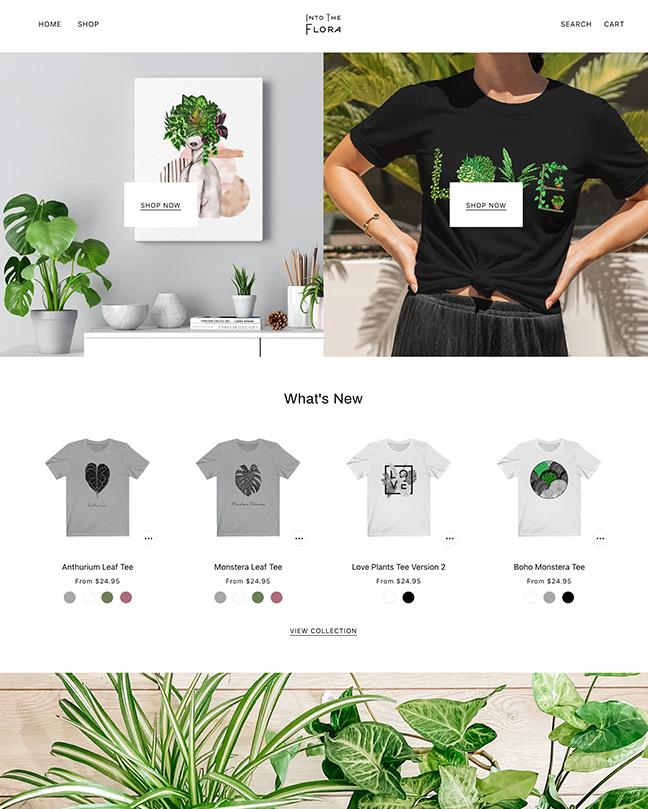
Beyond is a theme that is fantastic for brands in many niches that want to sell through the power of images. The theme is perfect for brands that have a large catalog of products or services to sell. The theme has lots of customization options that can allow the website to be customized.
To help customers speed through the purchasing process, you can use the ‘Quick Buy’ option.
To help customers find products they might want, there is a predictive search feature. This allows users to start typing, and then the website will return results after three letters on what it thinks the customer is looking for. As the user continues to type, the search results will be adjusted to match the new letters.
Navigation is also on point on this theme. There is a multi-level drop-down menu that can help customers to move from page to page with ease. There is also the option to display a popup that can offer them a chance to subscribe to your website’s newsletter or mailing list.
Beyond Highlights:
- Advanced navigation options that allow your customers to access all the pages of your website.
- Customers can search for products with ease on your website with predictive search.
- This is perfect for different niches and especially those that like visually pleasing websites.
- An aesthetically pleasing design that will impress customers.
Beyond Usage Statistics
Beyond usage at a glance, from our Shopify store dataset, refreshed daily.
Beyond Page Speed: Live Data
Galleria
Ideal for: Image-heavy catalogs
The Galleria theme is completely packed full of high-quality features that can help you to sell more on Shopify. Cross-selling, upselling, recommended products and more as well as speeding up the purchasing page with features such as product notes, quick buy and an aesthetic slide-out cart feature make this theme stand out.
To help make your website look more aesthetically pleasing, you can apply a lookbook effect.
Galleria Highlights:
- One of the most feature-packed themes available on Shopify.
- Improve user navigation with customers to help them find the products/pages they need.
- Improve the average cart value on your website with several features.
- You can increase trust with videos and reviews.
Galleria Usage Statistics
Galleria usage at a glance, from our Shopify store dataset, refreshed daily.
Galleria Page Speed: Live Data
Mavon
Ideal for: Fast boutiques
Mavon is a crowd favorite.The Mavon Shopify Theme comes in multiple design styles, each tailored to a specific niche. While the core functionality stays powerful across all versions, fast loading, mobile-optimized, and built for conversion, each style brings its own unique vibe and layout.
Mavon Theme Highlights:
- Mavon’s flexible structure means you can choose the style that fits your brand vibe, whether you’re selling handbags, surfwear, baby clothes, or beauty products.
- Each version is built with performance and UX in mind, you’ll never sacrifice speed or functionality.
Mavon Usage Statistics
Mavon usage at a glance, from our Shopify store dataset, refreshed daily.
-
Can Shopify themes be optimized for international sales?
Yes, Shopify themes can indeed be optimized for international sales. Many themes are designed with global e-commerce and offer features that make it easier to expand your business internationally.
-
Do Shopify themes offer features for dropshipping businesses?
Yes, there are Shopify themes for dropshipping businesses. These themes often include features such as easy product importing, compatibility with popular dropshipping apps, and user-friendly product catalog layouts.
-
How do Shopify themes handle customer reviews and feedback?
Shopify themes provide the framework to display customer reviews and feedback . They often integrate with Shopify’s built-in review system or can be customized to work with third-party review apps.
-
Which Shopify theme do most stores use?
Across the stores in our dataset, the free Dawn theme is by far the most common, since it ships with every Shopify plan, followed by Horizon, Shopify’s newer free theme. Among premium themes, Prestige, Impulse, and Broadcast lead. Most-used is not the same as best for you, so treat the leaderboard as a starting signal and pick for your store type and budget.
-
What is the best Shopify theme overall?
There is no single best theme, because the right one depends on what you sell and how. Dawn is the best free starting point, Prestige and Broadcast suit premium editorial brands, Symmetry and Ella handle large or mixed catalogs, and Be Yours or Mavon fit small, focused stores. The picks on this list cover those cases across budgets, so match the theme to your store rather than chasing a single winner.
-
How much do premium Shopify themes cost?
Premium Shopify themes are almost always a one-time purchase rather than a subscription. On this list they range from about $250 for Sahara up to $420 for themes like Broadcast, Symmetry, and Motion, with most landing between $300 and $420. Free options like Dawn and Horizon cost nothing. Whatever you choose, budget for a few paid apps on top, since no theme does everything.
Shopify Themes
Choosing the right theme lays the foundation for your store’s layout, navigation, and overall user experience. The best themes are not just visually appealing - they support intuitive structure, flexible customization, and industry-specific requirements that help your store convert. You can also check out our theme alternative guide, themes by style, or themes by name.
For a complementary view of how themes work in real stores, see our list of the best Shopify store designs and the themes they use: 10 successful Shopify storefronts paired with the exact Shopify theme each one runs on, identified directly from each store’s live source code.
For home decor specifically (lighting, textiles, art, accessories, furniture), see our best Shopify home decor themes roundup of eight free and paid picks.
Below are the top theme categories for specific store types and audiences, along with links to curated theme roundups that fit each niche.
Clothing stores rely on themes that highlight product visuals, support robust filtering, and present size and style options clearly. These themes offer modern layouts that make browsing collections seamless and enjoyable, helping fashion brands display their apparel with elegance.
Sport and activewear stores benefit from themes built for high-energy presentation and clear product hierarchy. These themes often include dynamic category layouts, performance-forward product pages, and bold design elements that match athletic brands while keeping navigation smooth.
Best Shopify Jewelry & Accessories Themes
Jewelry and accessory stores need themes that showcase details up close and create a luxe shopping experience. The best themes for this category emphasize product imagery, refined typography, and layout options that let shoppers explore pieces with clarity and confidence.
Best Shopify Baby, Kids & Toys Themes
Themes for baby, kids, and toy stores focus on playful yet organized design. They balance bright, engaging visuals with navigation that helps caregivers sift through categories like age, gender, and occasion, reducing friction while guiding discovery.
Best Shopify Health & Beauty Themes
Health and beauty stores benefit from themes that offer clean layouts, attention to detail, and strong product storytelling. Whether you’re selling skincare, supplements, or wellness essentials, these themes support elegant design and shopping ease.
Best Shopify Consumer Goods Themes
Consumer goods stores cover a broad range of products, from electronics to home goods. The best themes in this category balance flexible layouts with powerful navigation features, helping customers find what they need quickly and efficiently.
Shopify food themes have a diverse selection, from take-away to high end dining. Whether it’s ordering in or ordering a kombucha to your house, these food, drink, restaurant and cuisine themes satiate the hunger for a delightful website.
The best themes for pets are simply perfect. Whether you’re selling upscale doggie fashion or everyday pet food these themes have you covered.
Best Shopify Themes for Services
No matter what your service is these themes for services can help you build your Shopify store. Powerful clean designed and intuitive navigation makes selling your services easy.
Want to show off your tech product online? Shopify has a nice selection of themes built to highlight tech products. From phone cases to computer consoles, these themes can support your tech store’s needs and more.
Final Thoughts: Choosing the Right Theme
Your Shopify theme determines the first impression a customer has of your store. The right theme supports clear navigation, showcases products effectively, and accommodates brand-specific visual storytelling.
Explore the theme collections above to find designs tailored to your niche, goals, and audience. A great theme elevates both user experience and conversions - making it one of the most important decisions you’ll make when building your store.
Conclusion: 15 Shopify Themes
Shopify themes are the base for setting your online store apart and ensuring its success. They offer stunning, responsive designs, powerful SEO tools, and customizable features to perfectly reflect your brand. With fast load times, smooth navigation, and integrated social media, these themes enhance the shopping experience and keep customers engaged.
Didn’t find what you wanted? Don’t stop looking. Get more inspiration from our best Shopify clothing theme list, our Shopify sports theme list, and best Shopify tech themes list. Learn how to get started with Shopify themes.
So, why wait? Start exploring and selecting the best Shopify theme for your store and see your business grow online.
If your store feels sluggish, the theme may not actually be the cause. Run our 5-minute diagnostic in Shopify theme slow? How to diagnose and fix speed issues before switching themes.