Top Car Dealership Shopify Themes 2026
Last modified: October 11, 2026

| # | Image | Name | Price | Reception | Adoption | CWV pass rate |
|---|---|---|---|---|---|---|
| 1 |

|
Booster
|
$299 | 0.2% | 47.1% | |
| 2 |

|
Concept
|
$400 | (661) | 1.3% | 75.1% |
| 3 |
|
Impact
|
$400 | (200) | 2.4% | 67.6% |
| 4 |

|
Warehouse
|
$320 | (325) | 0.8% | 67.2% |
| 5 |

|
Empire
|
$360 | (482) | 0.6% | 65.9% |
|
Show More
|
||||||
Data first, opinion second: we track usage across 3.5+ million Shopify stores daily, and have since 2017. The stats tell us what merchants actually use; our editors rank the final picks by quality, pricing, and fit.
How These Themes Compare on Speed
| Theme | CWV pass rate | Few apps | Median LCP |
|---|---|---|---|
| Concept | 75.1% | 82.5% | 1.4s |
| Impact | 67.6% | 75.4% | 1.6s |
| Warehouse | 67.2% | 75.9% | 1.7s |
| Empire | 65.9% | 77.7% | 1.8s |
| Booster | 47.1% | 46.5% | 2.1s |
Booster
Ideal for: Lead-focused dealers wanting fast enquiry and finance CTAs

Booster’s auto dealer theme is built for dealerships selling new or used vehicles, and it is the pick we point most buyers to first. Whether you run a luxury lot, an SUV specialist, or a used-truck outfit, it makes your inventory the star with polished visuals and a clean, uncluttered layout. Detailed vehicle listings, clear category structure, and a “See What’s Popular” block guide a shopper from the home page to the exact car they came for.
Trust sits at the center of the design. Dedicated sections for guarantees, warranties, and 24-hour test drives answer the questions a car buyer asks before they ever fill in a form, and the browse-by-type, price, or availability filters keep a large lot easy to sort. For a dealership that wants a professional showroom online without a developer on retainer, Booster is a fast, sales-focused starting point.
Why Booster fits a car dealership
- Vehicle-ready layouts for SUVs, sports cars, trucks, and luxury models.
- Built-in trust blocks: guarantees, warranties, and 24-hour test drives.
- Mobile-first browsing so buyers can shop from the forecourt or the couch.
- Filter by type, price range, or popularity to move through a big lot fast.
- Promotion slots to push featured vehicles or seasonal offers.
Here is how Booster shows up across the stores in our dataset:
Booster Usage Statistics
Booster usage at a glance, from our Shopify store dataset, refreshed daily.
Booster Page Speed: Live Data
Concept
Ideal for: Visual, media-rich single-location showrooms
Concept turns a vehicle page into a proper showroom. It leans on large high-resolution images, zoom, and image hotspots, so you can point out the alloy wheels, the trim, or the infotainment screen right on the photo the way a salesperson would in person. Product video blocks let you drop in a walkaround clip, and lookbooks are an easy way to group a model range or a certified pre-owned collection.
We chose it for the dealership that sells on presentation. It is one of the highest-rated themes vehicle stores in our dataset run, and its filtering, mega menu, and infinite-scroll collections keep a growing lineup easy to browse on a phone. If your edge is photography and detail rather than a thousand-car lot, Concept is the pick.
Why Concept fits a car dealership
- Image hotspots to call out features directly on each vehicle photo.
- Product video blocks for walkaround and test-drive clips.
- Lookbooks to group model ranges or certified pre-owned lines.
- Filtering, mega menu, and infinite scroll for a clean browse.
- $400 one-time, built by RoarTheme.
Concept’s footprint across the stores we track:
Concept Usage Statistics
Concept usage at a glance, from our Shopify store dataset, refreshed daily.
Concept Page Speed: Live Data
Impact
Ideal for: Image-led showrooms with make and model filtering
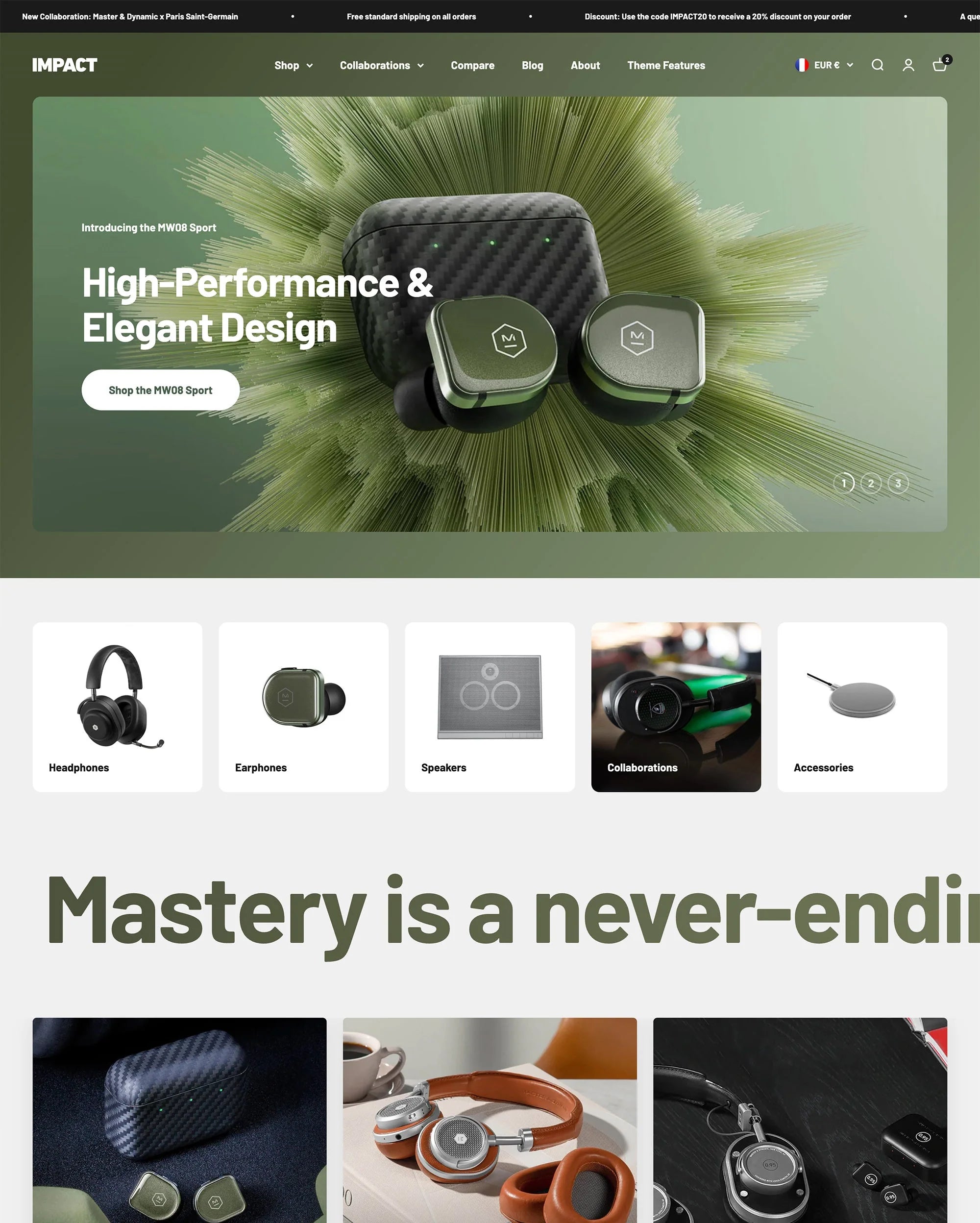
Impact is the showroom of this list. It is built around large imagery and flexible sections, so a dealership can give each vehicle a full-width gallery, stage it against a lifestyle backdrop, and still load fast. For a purchase people make with their eyes first, that visual weight sells.
It backs the looks with real tools. Collection filtering lets a shopper narrow by make, model, body type, or price, and metafields keep mileage, year, and trim consistent across every listing. Prominent, customizable buttons point buyers toward an enquiry, a finance application, or a test-drive booking instead of a standard cart, which fits how cars actually sell.
Impact Highlights for Car Dealers:
- Large galleries for image-led vehicle showcases
- Filtering by make, model, and price
- Metafield support for structured vehicle specs
- Customizable CTAs for enquiries, finance, and bookings
Impact Page Speed: Live Data
Warehouse
Ideal for: Large, fast-moving used-car inventories
Warehouse was designed for stores with thousands of products, which is exactly the problem a busy dealership has. Its filtering is the strongest on this list, with swatch filters, tag filters, sort options, and an enhanced search that lets a buyer drill from every car on the lot down to a specific shortlist in a couple of taps. The mega menu keeps makes, models, and body styles one click apart.
We chose it for the make-and-model filtering job specifically. If your inventory is large and turns over quickly, Warehouse keeps it easy to browse where a showcase theme would buckle. Quick view and recently viewed blocks help a shopper compare a shortlist without losing their place.
Why Warehouse fits a car dealership
- Built for catalogs running into the thousands of listings.
- Swatch, tag, and price filters for true make and model narrowing.
- Enhanced search that reads a shopper’s intent quickly.
- Quick view and recently viewed for side-by-side shortlisting.
- $320 one-time, built by Maestrooo.
Warehouse across the stores we track:
Warehouse Usage Statistics
Warehouse usage at a glance, from our Shopify store dataset, refreshed daily.
Warehouse Page Speed: Live Data
Empire
Ideal for: Wide multi-category lots needing deep navigation
Empire is the other big-catalog option, and it adds a merchandising layer Warehouse leaves out. Alongside advanced filters and a mega menu, it ships promo banners, in-menu promos, countdown timers, and product badges, so a dealer can flag a price drop, low mileage, or a sold car at a glance. Its product comparison tool is a genuine fit for car shopping, where buyers weigh two or three models side by side before they enquire.
We chose it for the high-volume dealer who also runs a lot of offers. It carries the largest average catalog of any theme vehicle stores in our dataset use, so it is proven on inventory scale, and the shoppable images let you turn a hero shot of the forecourt into clickable listings.
Why Empire fits a car dealership
- Advanced filters and mega menu for large, mixed inventory.
- Product comparison so buyers can weigh models side by side.
- Promo banners, countdown timers, and badges for offers and status.
- Shoppable images to make a forecourt photo clickable.
- $360 one-time, built by Pixel Union.
Empire across our store dataset:
Empire’s full usage statistics back up the big-catalog claim.
Empire Usage Statistics
Empire usage at a glance, from our Shopify store dataset, refreshed daily.
Empire Page Speed: Live Data
-
How can I showcase my car inventory effectively online?
Use high-resolution images, 360-degree views, and detailed descriptions for each vehicle.
-
What are the benefits of integrating a financing calculator on my site?
It allows customers to estimate their monthly payments, making the purchasing process more transparent and convenient.
-
What should I include in my car listings to attract more buyers?
Include detailed specifications, history reports, pricing information, and clear, high-quality images.
-
How do I manage trade-in evaluations online?
Provide an online tool where customers can enter their car details and receive an instant trade-in value estimate.
-
Why does a strong search function matter on a car dealership website?
A strong search function lets shoppers find a specific make, model, or price range in seconds instead of scrolling a full lot. Pair it with filters for body type, year, and fuel so buyers land on a short, relevant list. That speed keeps people on your site and moves them toward an enquiry.
-
How can I provide detailed vehicle history reports online?
Integrate with services like Carfax or AutoCheck so buyers can pull a full vehicle history report straight from the listing. Showing accident, ownership, and service records upfront builds trust and cuts down on repeat questions before a sale.
What the Data Says About Vehicle Stores
Rather than lean on headline market figures that date quickly, we look at what vehicle and parts stores actually do on Shopify. In our dataset these stores tend to carry large catalogs and depend on inventory, filtering, and enquiry tools far more than the average shop, which is why a catalog-first or purpose-built theme usually serves them better than a plain template. You can explore the live breakdown, including the apps these stores install most, on our vehicle and parts store statistics page.
Choosing Your Car Dealership Theme
Start with the job your store has to do. If you want a ready-made auto template with trust blocks built in, Booster is the fastest route. If presentation is your edge, Concept gives you a media-rich showroom. If you are merchandising a large, fast-moving lot, Impulse, Warehouse, or Empire will hold up as your inventory grows. Whichever you choose, add the finance, trade-in, and enquiry apps your sales process needs, and keep your vehicle photos and specifications sharp.
If you also sell aftermarket parts, accessories, or replacement components alongside vehicles, see our best Shopify themes roundup. You might also like our guides to bookstore themes, personalized product themes, and consumer goods themes.