7 Shopify B2B & Wholesale Themes for 2026
Last modified: October 1, 2026
| # | Image | Name | Price | Reception | Adoption | CWV pass rate |
|---|---|---|---|---|---|---|
| 1 |
|
Athens
Hardware, tools, auto parts, industrial-parts stores
|
$320 | (80) | 0.1% | 88.9% |
| 2 |
|
Taiga
|
$500 | (54) | 0.1% | 89.2% |
| 3 |
|
Hyper
|
$400 | (508) | 0.5% | 60.6% |
| 4 |
|
Xtra
|
$150 | (403) | 0.2% | 28.7% |
| 5 |
|
Enterprise
|
$420 | (113) | 0.7% | 78.8% |
| 6 |
|
Warehouse
|
$320 | (325) | 0.8% | 66.9% |
| 7 |
|
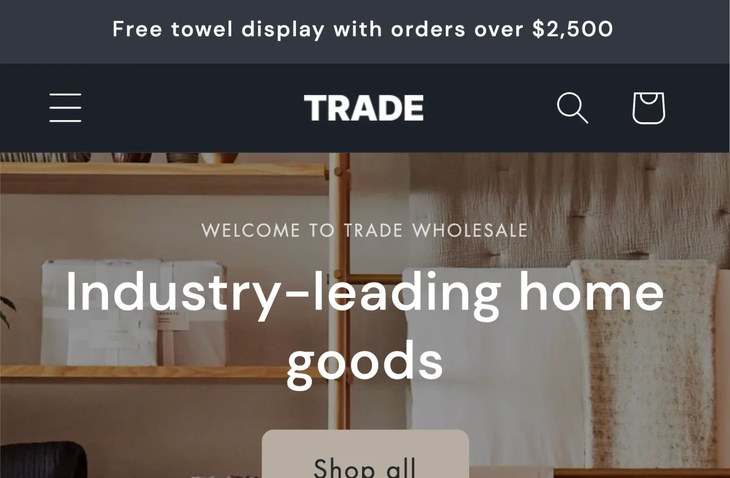
Trade
|
Free | (41) | 0.6% | 70.9% |
|
Show More
|
||||||
Data first, opinion second: we track usage across 3.5+ million Shopify stores daily, and have since 2017. The stats tell us what merchants actually use; our editors rank the final picks by quality, pricing, and fit.
How These Themes Compare on Speed
| Theme | CWV pass rate | Few apps | Median LCP |
|---|---|---|---|
| Taiga | 89.2% | 88.5% | 1.4s |
| Athens | 88.9% | 87.5% | 1.6s |
| Enterprise | 78.8% | 83.9% | 1.6s |
| Trade | 70.9% | 78.1% | 1.6s |
| Warehouse | 66.9% | 77% | 1.7s |
| Hyper | 60.6% | 74.5% | 1.6s |
| Xtra | 28.7% | 26.9% | 1.7s |
Athens
Athens is the only theme on this list that was explicitly designed for hardware, power tools, equipment, and industrial-parts stores. Truly Fine Pixels built the merchandising defaults around utility catalogs: dense category navigation, swatch filters tuned for part variants, back-in-stock alerts for always-replenished SKUs, and press-coverage sections for brand trust. For a wholesale operation whose end buyers are specifying parts rather than browsing a boutique, Athens’s layout language is unusually on the nose.
On the Shopify Plus side, Athens ships with quantity pricing and combined listing built in, which cover the two pricing-structure cases most B2B operations need. Over fifty flexible sections, a mega menu, enhanced search, cross-selling, and multilingual plus RTL support round the kit out. The theme carries one of the highest percent-positive ratings on the entire Shopify Theme Store with a credible review base behind it.
Choose Athens if your wholesale business is in hardware, tools, equipment, auto parts, plumbing supply, electrical, industrial parts, or similar high-SKU verticals, especially if you are on Shopify Plus. It is less of a fit for a boutique or lifestyle wholesale operation where the industrial design cues will feel wrong.
Athens Highlights:
- Explicitly designed for hardware, tools, equipment, and industrial-parts verticals.
- Shopify Plus quantity pricing and combined listing built in.
- Over fifty flexible sections for category and brand page layouts.
- One of the highest-rated themes on the Shopify Theme Store with a credible review base.
Read our full Athens review for the deeper walk-through.
Athens Page Speed: Live Data
Taiga
Ideal for: Subscription and multichannel brands that also run a wholesale channel
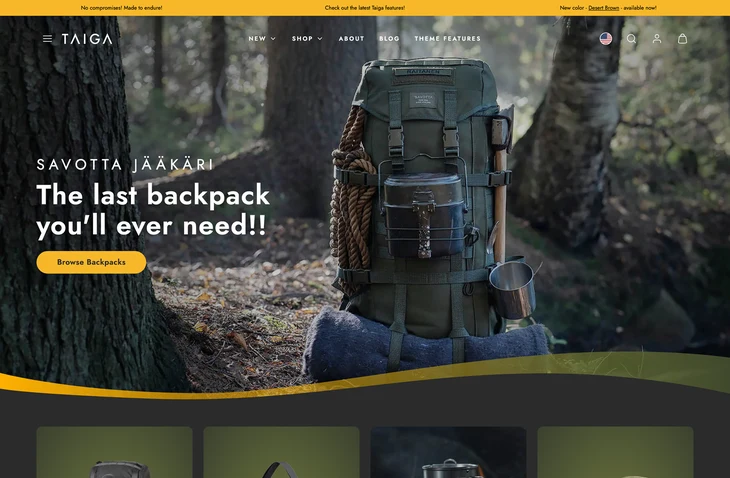
Taiga is a paid theme from Woolman, a Nordic Shopify agency that builds for brands running several sales models at once. It fits the operator whose business is a subscription and multichannel brand first, with wholesale as one of several channels rather than the main event. The stores using it carry smaller catalogs than the typical wholesale storefront and stack more apps than average, which is the signature of a business doing custom operations behind the storefront: recurring orders, marketplace feeds, wholesale accounts, and everything else running side by side.
What it does not try to be is a native B2B engine like Hyper or Trade. There is no quick order list, no built-in tiered pricing table. So the honest question before you buy is what your wholesale channel actually needs from the theme. If your B2B side is buyer-portal work that Shopify Plus B2B or a wholesale app handles cleanly, and you want a design-forward theme that also carries subscription and multichannel well, Taiga is worth a look. If wholesale is your main channel and you need order-list features on the storefront, Hyper is the stronger fit.
Taiga Highlights:
- Built by Woolman, a Nordic agency with an enterprise-build background
- Store-type profile skews subscription, multichannel, and wholesale, pointing to a mixed-channel operator rather than a pure B2B one
- Higher-than-average app stack, suited to operators running several channels or subscription tooling
- Smaller catalog footprint than the list’s large-catalog picks, better suited to a curated range
- Premium one-time license; no native quick order list or tiered pricing table
Read our full Taiga review for the deeper walk-through.
Taiga Page Speed: Live Data
Hyper
Ideal for: Growing B2B and wholesale brands that want bulk tools built in
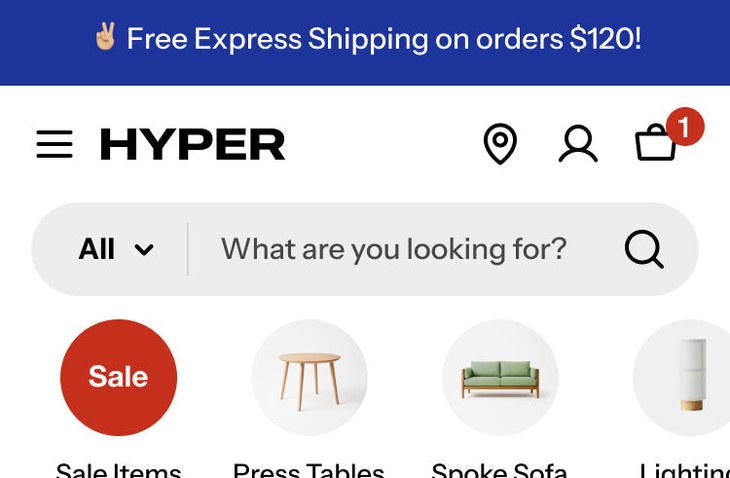
Hyper is the most complete B2B theme on this list, and the one to start with if wholesale is your main channel. FoxEcom built it around how business buyers actually order. A quick order list lets a customer add dozens of SKUs by code in one pass, quantity pricing and advanced pricing rules handle tiered and bulk discounts, and multi-currency plus right-to-left support open the door to cross-border accounts. Most themes push all of this onto apps. Hyper keeps it native.
It is not only a wholesale engine. The storefront side is strong too, with mega menus and enhanced search for deep catalogs, plus promo banners, countdown timers, and cross-selling for the retail customers who buy alongside your trade accounts. Five presets (Hyper, Ceramide, Trove, Pillar, and Nexvo) give you a starting look for different industries. The catch is the price and the plan: several of the strongest B2B features need Shopify Plus, so a small operation on a basic plan will not use everything it pays for. Our full Hyper review digs into the setup and presets.
Hyper Highlights:
- Quick order list for fast bulk SKU entry
- Quantity and tiered pricing, advanced pricing rules (Plus)
- Multi-currency and right-to-left support for cross-border
- Mega menus and search for deep catalogs
- Five presets for different industries
Hyper Page Speed: Live Data
Xtra
Ideal for: Budget-minded stores that want quick-order and bulk features
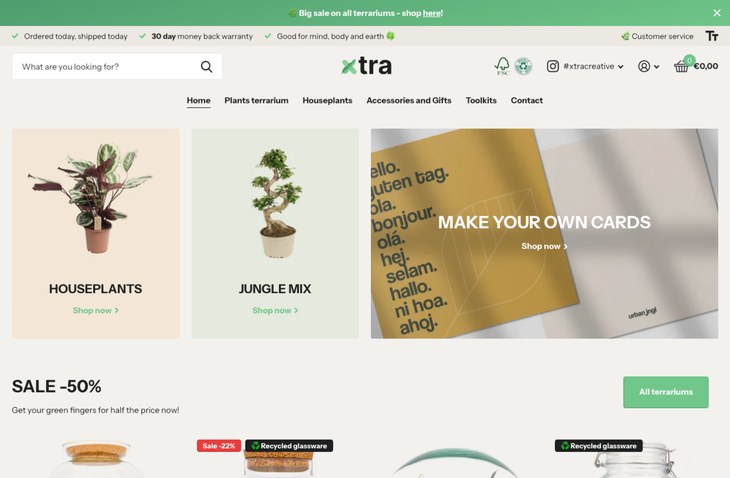
Xtra is the value pick here. At a fraction of Hyper’s price, it still brings the two features that matter most for volume selling: a quick order list and bulk upsell tools that lift average order value. That makes it a sensible entry point for a store adding a wholesale or trade side without committing to a top-tier B2B theme. It is a multipurpose theme at heart, so it also works for a normal retail storefront, which suits a business that sells both ways.
Because it is a generalist, Xtra does not go as deep on B2B as Hyper or Trade. There is no dedicated wholesale account system, and quantity pricing relies on Shopify Plus. What you get instead is flexibility and a strong review score across a large base of stores, at a price that is easy to justify. Five presets (Xtra, Seed, Calm, Vault, and Rover) cover a range of looks. If your wholesale needs are light, or you want one theme that handles retail and bulk orders together, Xtra is the practical choice.
Xtra Highlights:
- Quick order list and bulk upsell at a low price
- Works for both retail and light wholesale
- Five presets for different looks
- Strong review score across many stores
- Advanced quantity pricing needs Shopify Plus
Xtra Page Speed: Live Data
Enterprise
Ideal for: High-volume sellers who need speed at scale
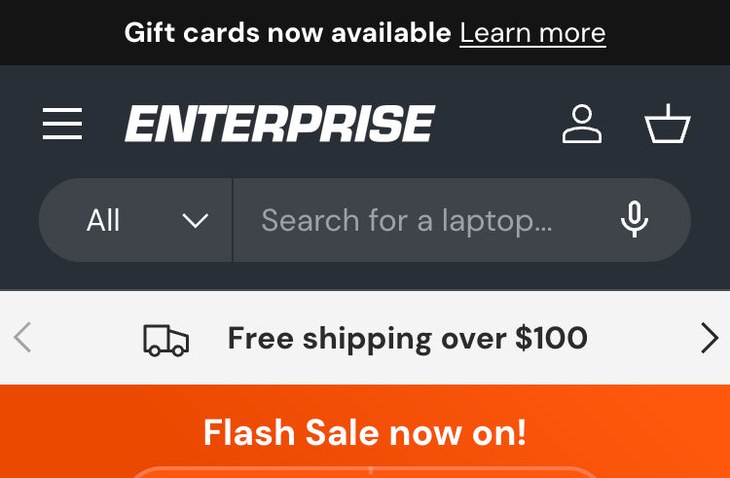
Enterprise earns its spot for high-volume operations where speed is the bottleneck. Clean Canvas built it from the ground up for performance, with no external libraries and a lean codebase, and markets it on fast load times at scale. For a wholesaler or high-turnover retailer pushing a large catalog and heavy traffic, a theme that stays quick under load is worth as much as any single B2B feature.
Its B2B story is lighter than the dedicated themes here. Combined listings are supported on Shopify Plus, and the built-in conversion tools reduce app dependence, but there is no quick order list or wholesale account layer. So Enterprise fits a business scaling a big, fast catalog, or a DTC brand adding a hybrid B2B channel, more than a pure wholesale operation. It also holds a strong review score, which matters at this price. If your priority is a large catalog that loads fast and converts, and your B2B needs are modest, it is a strong pick. For deeper wholesale workflows, start with Hyper instead.
Enterprise Highlights:
- Built for speed with a lean, library-free codebase
- Holds up under large catalogs and heavy traffic
- Combined listings on Shopify Plus
- Built-in conversion tools reduce app reliance
- Strong review score at the premium tier
Enterprise Page Speed: Live Data
Warehouse
Ideal for: Wholesalers whose main challenge is a very large catalog
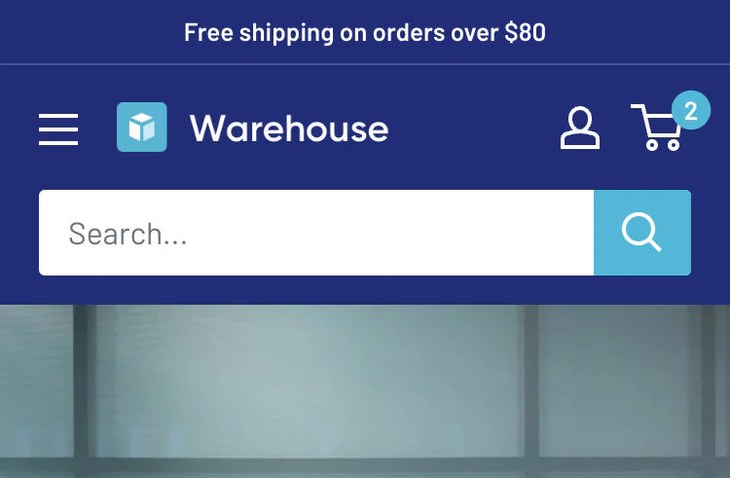
Warehouse is not a full B2B theme, and it is on this list for a specific reason: some wholesale businesses do not need quick-order checkout as much as they need to keep a massive catalog usable. That is exactly what Warehouse from Maestrooo is built for. It handles thousands of products with deep faceted filtering, predictive search, swatch filters, and a mega menu that keeps a sprawling range navigable. Stores running it carry some of the largest catalogs we track, which is the clearest signal it holds up at scale.
On the B2B side it is lighter. Quantity pricing and combined listings are supported on Shopify Plus, but there is no quick order list or wholesale account system. So it fits a distributor or supplier whose buyers browse and filter a huge inventory, less so one who reorders the same lines every week. If catalog scale is your real problem and your pricing lives on Plus, Warehouse is a proven, reliable choice. Pair it with a wholesale app if you later need dedicated ordering tools.
Warehouse Highlights:
- Built for catalogs with thousands of products
- Deep faceted filtering and predictive search
- Mega menu and swatch filters for big ranges
- Quantity pricing and combined listings on Shopify Plus
- Pairs with a wholesale app for dedicated ordering
Warehouse Page Speed: Live Data
Trade
Ideal for: Merchants who want a free, purpose-built B2B starting point
Trade is Shopify’s own free theme built specifically for wholesale, which makes it the easiest way to test a B2B storefront without spending on a theme. It ships with a quick order list and volume pricing rules, so a trade customer can place a large, multi-line order and see quantity breaks without an extra app. The layouts are plain and functional, aimed at buyers who want to reorder fast rather than browse.
The honest catch is quality. Trade carries a low review score, and owners report a bare feature set and a look that needs work before it feels finished. It also leans on Shopify Plus for its more advanced B2B tools. Treat it as a solid free foundation rather than a finished store, good for validating a wholesale channel, proving out quick-order workflows, or running a simple trade catalog on a tight budget. If the channel grows, you will likely move up to a paid theme like Hyper. For a first B2B build at zero cost, it does the core job.
Trade Highlights:
- Free, and purpose-built for B2B by Shopify
- Quick order list and volume pricing rules
- Functional, reorder-first layouts
- A low-cost way to validate a wholesale channel
- Advanced B2B tools lean on Shopify Plus
Trade Page Speed: Live Data
-
Can you sell wholesale on Shopify without an app?
Yes, up to a point. Some themes, like Hyper and Trade, include a quick order list and volume pricing rules, and Shopify Plus adds native B2B tools such as company accounts and price lists. For net terms, minimum order rules, or custom registration, most stores still add a wholesale app. The theme handles the storefront; the app fills the gaps.
-
Which Shopify themes have a quick order list?
Among the themes here, Hyper, Trade, and Xtra include a quick order list, where a buyer adds many SKUs by code in one pass. Warehouse and Enterprise focus on large-catalog browsing instead and do not ship a quick order list. If bulk reordering is core to your business, prioritize a theme that has one.
-
Do B2B themes need Shopify Plus?
Some of their features do. Quantity pricing, company accounts, and combined listings are Shopify Plus features, so a theme can display them only if you are on Plus. The rest of a B2B theme, like a quick order list or filtering, works on standard plans. Check which features you need and whether they require Plus before you buy.
-
Is there a free Shopify B2B theme?
Yes. Trade is Shopify’s own free theme built for wholesale, with a quick order list and volume pricing rules. It is a low-cost way to validate a B2B channel, though it has a bare feature set and a low review score. Many stores start on Trade and move to a paid theme as the channel grows.
-
Can a B2B theme also serve regular retail customers?
Yes. Several of these themes are built to handle both. Xtra is a multipurpose theme that works for retail and light wholesale, and Hyper pairs its B2B tools with standard storefront features like promos and cross-selling. A hybrid setup lets one store serve trade buyers and retail shoppers without running two sites.
-
What is tiered or volume pricing on Shopify?
Tiered or volume pricing means the unit price drops as the quantity rises, for example a lower per-unit cost at 50 units than at 10. It is a core wholesale mechanic that rewards larger orders. Themes that show these breaks clearly on the product page cut the back-and-forth of buyers asking what their price is at each quantity.
Choosing the right B2B theme
Start with how your buyers order. If they reorder lines in bulk, a theme with a quick order list like Hyper or Trade saves them time and saves you support tickets. If they work from a huge catalog, a large-catalog theme like Warehouse or Enterprise matters more. Check your Shopify plan before you buy, since several B2B features need Plus, and match the theme to the way you actually sell.