7 Best Brooklyn Shopify Theme Alternatives
Last modified: April 15, 2026

| # | Image | Name | |
|---|---|---|---|
| 1 |
|
Booster
|
|
| 2 |
|
Galleria
|
|
| 3 |
|
Blockshop
|
|
| 4 |
|
Boost
|
|
| 5 |
|
Empire
|
|
| 6 |
|
Avenue
|
|
| 7 |
|
Warehouse
|
|
|
Show More
|
|||
Our rankings aren't just opinions. They are based on proprietary detection data from 3.5 million+ Shopify stores, aggregated daily since 2017.
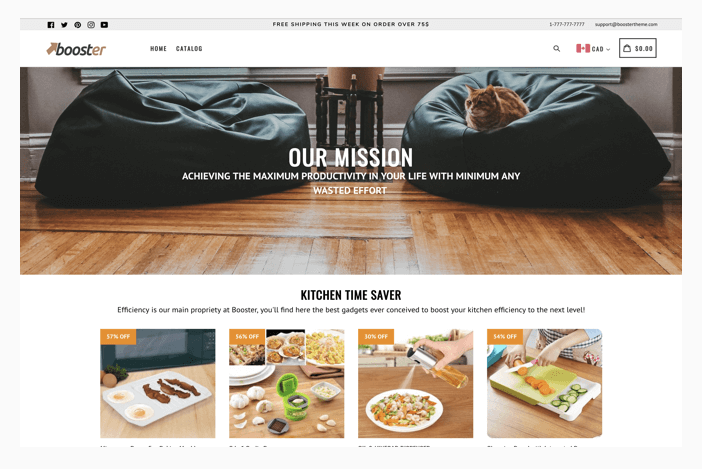
Booster

Booster is one of the most impressive Shopify themes that you can use on your website. There are lots of elements that can help you enhance the performance of your website. The website’s performance allows it to load quickly on all devices. On most devices, the website’s using Booster can load within one second. This can help you rank higher on Google and other search engines. You’re also able to improve conversion rates on your website.
The theme’s developers have added lots of features to the theme. This includes functions like countdown timers, call-to-action buttons, social proof features, popup builders, currency switchers, live chat and more. The developers of this theme reckon that the average website can save about $3000 a year on apps because of the theme’s additional functions.
The theme has lots of features to help with reducing abandoned cart, improving navigation across the site and building your website.
Booster Highlights:
- You can save more than $3000 on apps with additional features that are included with this theme.
- This a fast and responsive theme that can help you display perfectly on any device.
- You can build better traffic levels on your website with the best practices.
- Design the website without any experience at all.
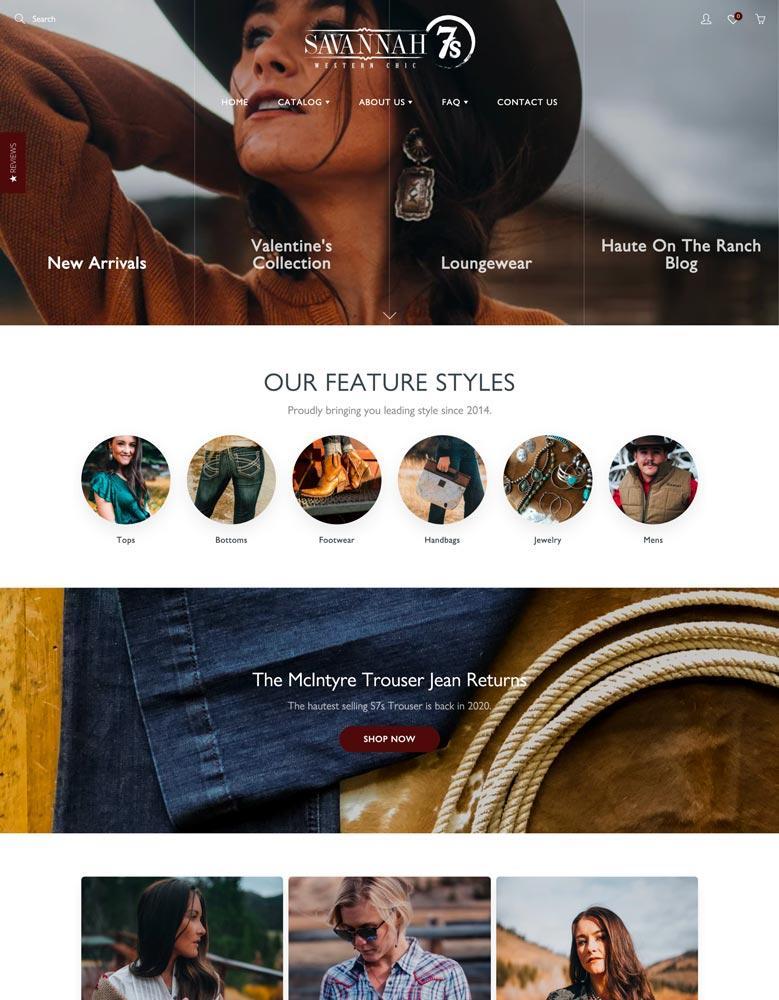
Galleria
If you’re looking for a theme that has a lot of features that can help you perfect your website’s conversion rate, then Galleria is one that can help you. The theme has everything that you need to get orders with a higher value through upselling, cross-selling and ways to reduce the abandoned cart. There are also ways that can improve the experience of your shoppers. These features include a quick view feature, recommended products, product notes, quick buy and a slide-out cart. Therefore, you can earn more money from your website with ease and save on app subscriptions.
These features mean nothing however if you can’t get the trust you need with audiences. However, this theme solves that problem. You can add product reviews to your product pages to let customers know more about your brand’s products and what other customers thought of the product. In addition, you can add an FAQ page to your website to get customers to find the answers they need when they have a commonly asked question.
To add to the experience of your website, you’re able to have high-resolution images. Or you’re able to embed an image gallery and each image can have an image zoom on them. The products can also have swatch feature added to them. This can be customized and allows you to have more variant information on your website.
The theme can also support a lookbook effect that can add something special to your website’s design.
Galleria Highlights:
- This is one of the most feature-packed themes that is available.
- You can improve your website’s navigation on your website with lots of options.
- You can increase the value of the average cart value with several different features on your website.
- Improve the trust with your audience through several additional elements on your website.
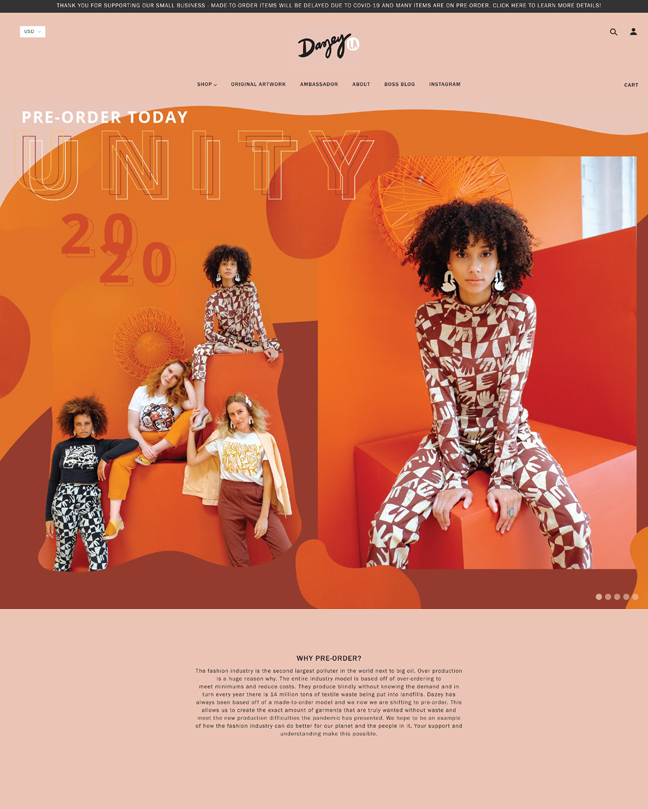
Blockshop
Blockshop is one of the best options for those who are looking for lots of great features that they can use on their website without the high cost of the app subscriptions. The theme comes with four beautiful default styles that allow you to set the basic design for your website. You can then customize the website to your specific needs with ease. You can change the colors, text, images and videos with ease.
There are also some great options for creating a brand blog on this website. Blogging is a great way to grow your brand. Those sites that release more than 15 blogs per month will get higher levels of traffic and sales.
This theme comes with a wide layout design with this theme. This can help you make more of the high-quality images that you have with them looking big, bold and beautiful. There are also options that allow you to add a slideshow or two of your brand’s core messages, products and services to a slideshow. The slideshows can be added to any page on your website.
To help your visitors to navigate around your website, there are lots of options. One of the best is the multi-column, drop-down menu.
Blockshop Highlights:
- This theme has been completely optimized for search engines, allowing you to get more traffic.
- Speedy website loading that is brilliant for mobile devices.
- Engage your audience with lots of different touchpoints that can be located across your website.
- Add slideshows to any page of your website for more engagement.
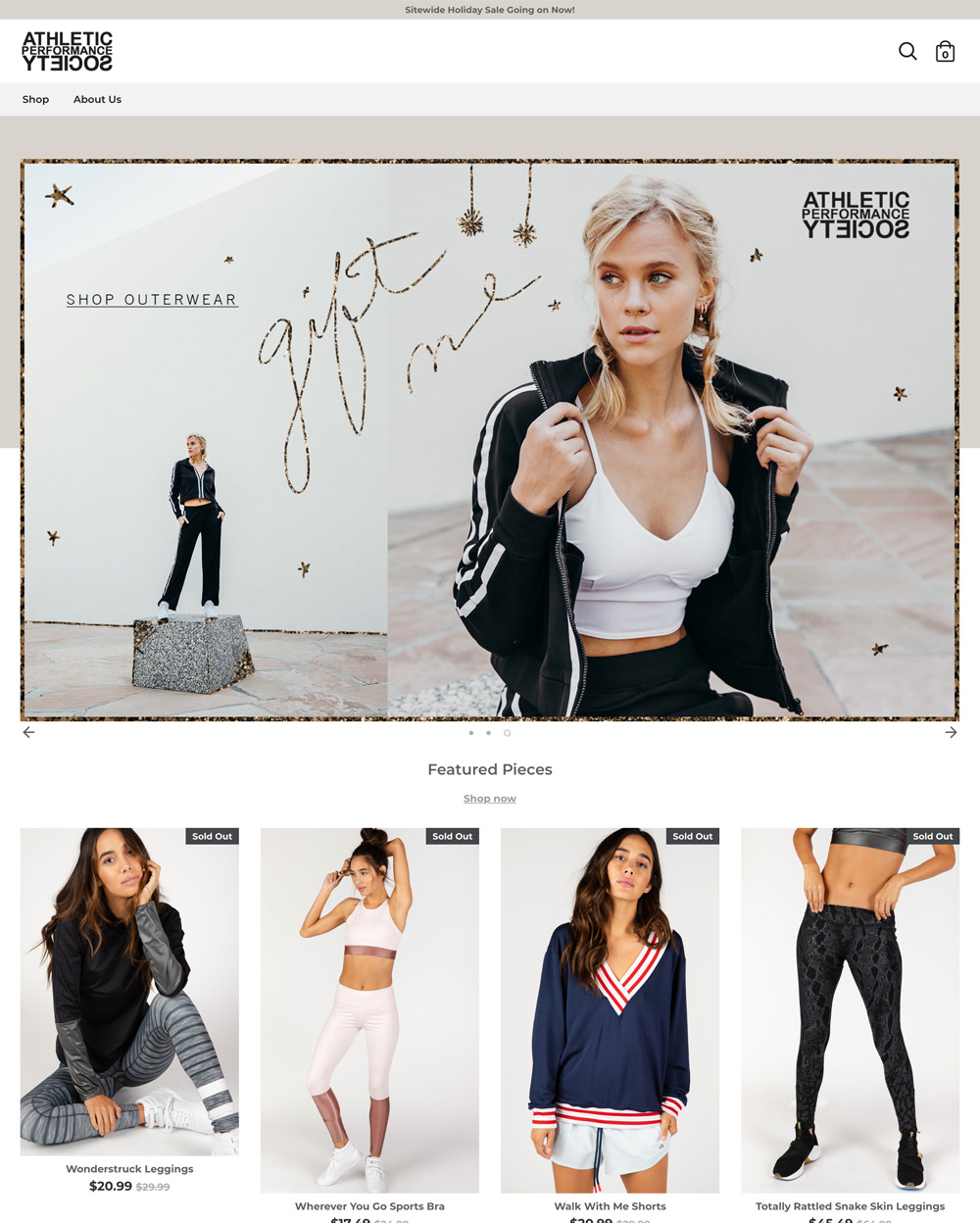
Boost
Boost is another fast theme that will allow you to get higher in search engine rankings, improve conversions on your website and grow your profits. The theme’s speed features have resulted from painstaking detail in the coding that has been used in the design of the website. This has helped reduce the loading times of the website.
The theme also comes with a unique image hotspot capability. This is when a link is created between an image and the product it represents. This can direct customers to the product with just one click and little engagement from you, great for growing sales from a blog or landing page.
There are also great custom promotional tiles that you can use as well. Tiles can be used to promote the bestsellers, discounts, vendors and more. You’re also able to make customizations to the tiles that allow you to improve the branding and style.
You’re also able to improve the shopping experience on your website by using predictive search options. This is a great option when you have a large catalog.
Boost Highlights:
- One of the fastest loading themes that is available on the Shopify theme store.
- Is perfect if you want to rank high on Google and other search engines for more traffic.
- You can integrate your website with your social media profiles with ease.
- You’re able to improve the professional look of your website with lots of features.
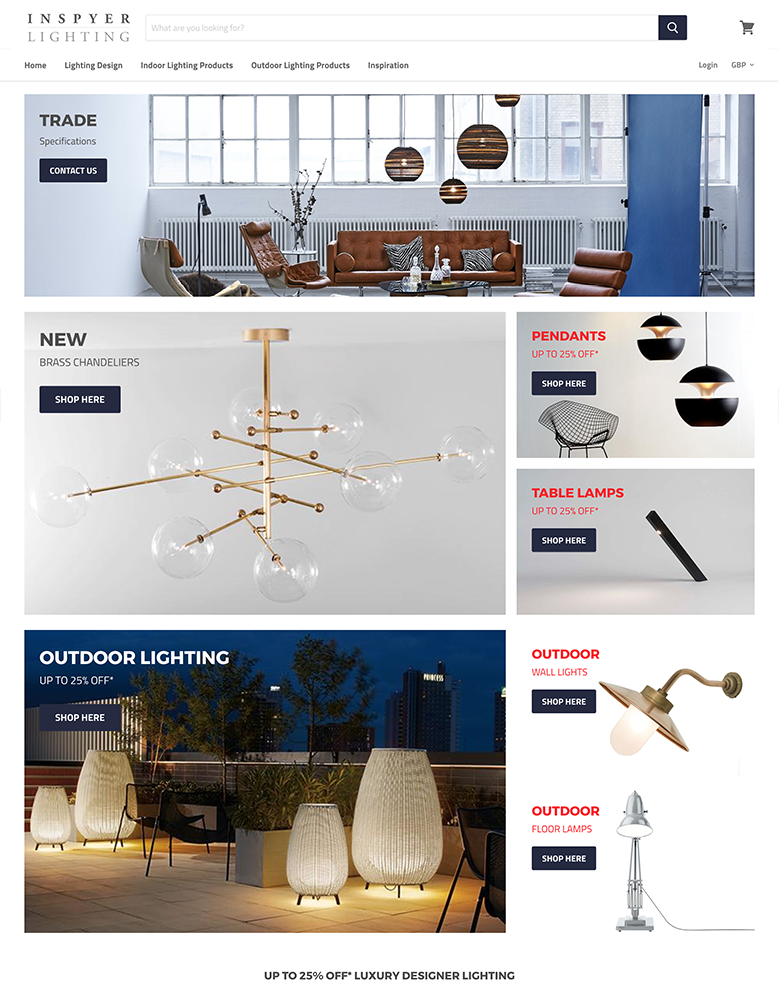
Empire
Empire is one of the best themes that you can have on Shopify, and it has a lot to offer your brand. There are perfect styles that you can use with this theme, all of them can be customized with colors, text, images and more. This website allows for a highly functional website that will perform well.
The theme has been built for websites with large catalogs. There are ways that customers can find their products with ease though with predictive search. This can help you increase your average cart values and conversions on your website. In addition, you can reduce the choices being seen on a page with product filtering.
To ensure that you’re able to convert more on your website, the theme comes with a quick buy option.
Empire Highlights:
- The theme has been optimized for search engines and mobile devices for higher rankings.
- You’re able to use free images that have been provided by Burst.
- There is a quick buy option when you want to speed up the purchasing time for your customers.
- There are several ways to improve the shopping experience, including search and product filtering.
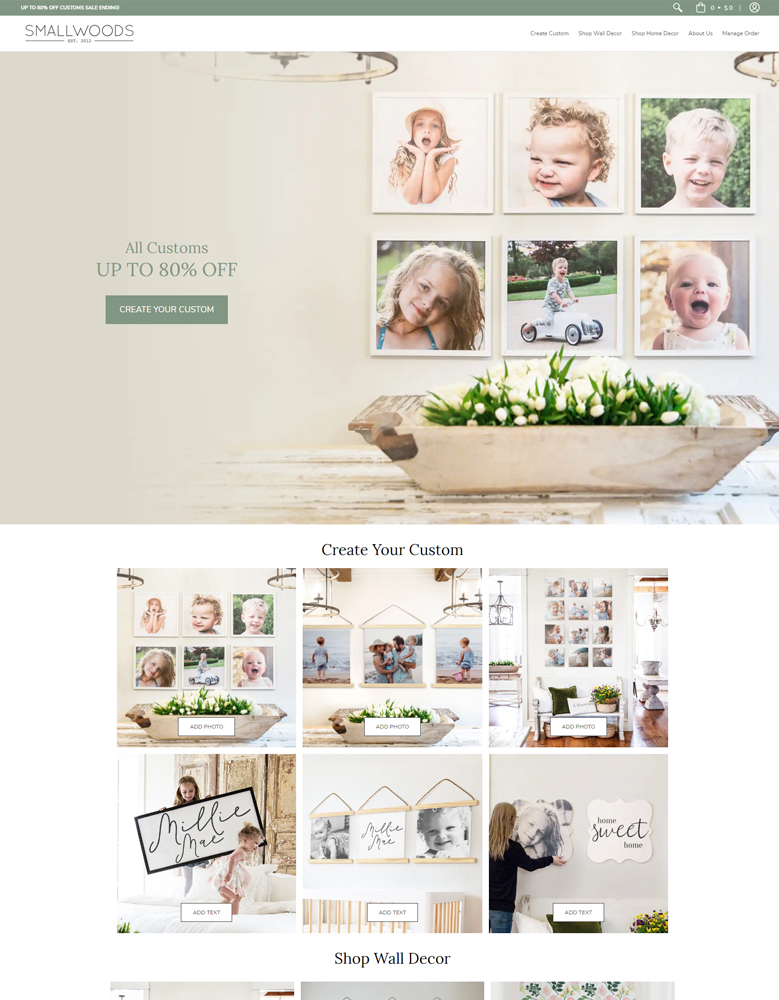
Avenue
This theme was designed for those brands that have lots of products. The fast-loading theme allows you to load pages quickly that can help with ranking and conversions. Therefore, you can improve order values and profits. There are also features on this website that can help you improve the shopping experience on your website. For instance, there is product filtering that allows customers to reduce the number of products on the shop page through different elements that you can customize.
The theme can also allow you to sort the products within the catalog into subsists. There are also ways to improve navigation and SEO on your website with breadcrumbs. You can also reduce the site’s abandoned cart rate on your website.
The store can also allow your customers to add multiple products to their cart simultaneously. This can help reduce the time it takes for a customer to shop on your website.
Avenue Highlights:
- This has been optimized for search engines, allowing for higher ranking and better traffic.
- Clean code for faster loading times that improve conversion rates.
- You’re able to improve the navigational and product discovery options on your website.
- You can integrate your social media into the theme for more engagement.
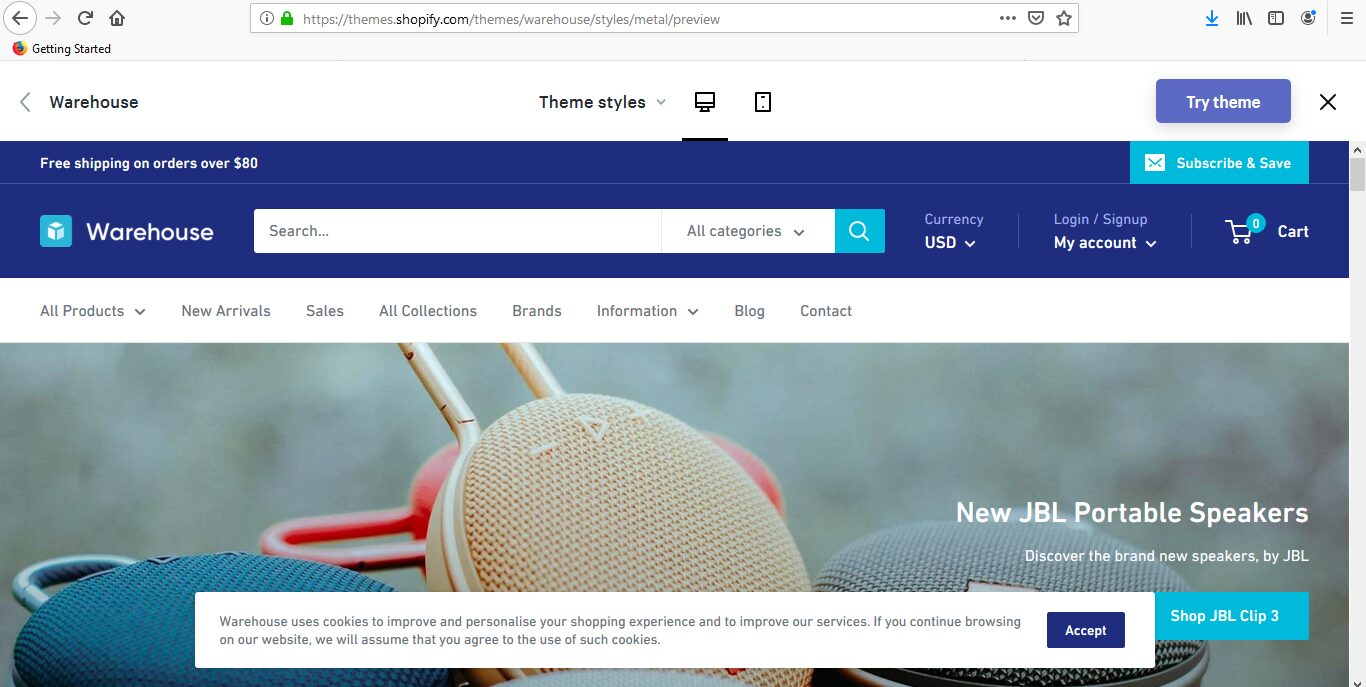
Warehouse
Warehouse is a great option for those that want to sell lots of products on their website. There are two main design styles that can be used as the basic design. You can then customize the option including the text, images, videos and more. In addition, there are numerous features that are great for helping you to sell. This includes stock levels, payment trust badges and an exit-intent popup.
The theme has been designed to help you refine the shopping experience. There are custom promotional tiles that can be used to promote specific sale items on your website. You can add these to your website’s homepage. And you’re also able to improve the purchasing speed of your customers and improve the average order value of your site.
To help you with the customer journey, there is a great live search option that can help customers find what they want on your website. There is also a quick link that can improve the customer journey.
Warehouse Highlights:
- This is perfect for brands who want to sell lots of products.
- Customers can use the live search function that can improve shopping experiences.
- There are a lot of ways to improve your rank on Google.
- An exit-intent popup that can be used to grow your mailing list.
-
Is the Brooklyn Shopify theme still available?
No. Shopify has retired the Brooklyn theme from the Theme Store, and it can no longer be installed on new stores. If Brooklyn is already active on your store, it will continue to work, but it won’t receive any future updates or security patches. Shopify recommends switching to an Online Store 2.0 theme for better performance and ongoing support.
-
Why did Shopify discontinue the Brooklyn theme?
Shopify retired Brooklyn as part of its broader shift to the Online Store 2.0 architecture. OS 2.0 themes support sections on every page, better app integration, and improved performance. Brooklyn was built on the older theme framework and couldn’t support these newer features without a full rebuild. Shopify chose to retire it along with several other legacy themes.
-
Can I still use Brooklyn on my existing Shopify store?
Yes. If Brooklyn is already installed on your Shopify store, it will keep working. Shopify has not forcibly removed it from live stores. However, you should plan a migration to a newer theme eventually, since Brooklyn will not receive bug fixes, security updates, or new features going forward.
-
What is the best free alternative to the Brooklyn Shopify theme?
Shopify’s Dawn theme is the closest free replacement for Brooklyn. It’s built on Online Store 2.0, loads fast, and supports sections on every page. Dawn has a clean, minimal design similar to Brooklyn’s “Classic” style. Another option is Craft, which offers a more editorial layout if your store relies heavily on brand storytelling and lifestyle imagery.
-
What features should I look for in a Brooklyn replacement theme?
Focus on the features that made Brooklyn useful: a full-width slideshow hero section, a grid-based product layout, sidebar product filtering, and a slideout AJAX cart. Beyond that, look for Online Store 2.0 support (sections on every page), fast page load times, and mobile-responsive design. If you want to reduce app costs, consider a premium theme with built-in upsell, countdown timer, and trust badge features.
-
How do I migrate from Brooklyn to a new Shopify theme?
Start by previewing a new theme using Shopify’s theme editor - you can install and customize a second theme without affecting your live store. Copy over any custom code or settings from Brooklyn manually, since they won’t transfer automatically between themes. Test your product pages, collections, and checkout on the new theme before publishing. Once everything looks right, click “Publish” on the new theme to make it live. Your Brooklyn theme stays in your theme library as a backup if you need to revert.
Which Brooklyn Alternative Is Right for Your Store?
Brooklyn’s retirement from the Shopify Theme Store doesn’t have to set your store back. Each of the seven alternatives above covers the features that made Brooklyn popular - clean layouts, strong product grids, and mobile-ready designs - while adding modern OS 2.0 flexibility that Brooklyn never had.
If budget is your top priority, start with a free OS 2.0 theme like Dawn and customize from there. If you want built-in conversion tools and fewer app subscriptions, Booster or Shopitimized are worth the investment.
Looking at other theme switches? See our picks for Turbo alternatives or Prestige theme alternatives. For a broader view, check the full guide to Shopify alternative themes.