Hotjar for Shopify Review 2026
Last modified: September 9, 2026

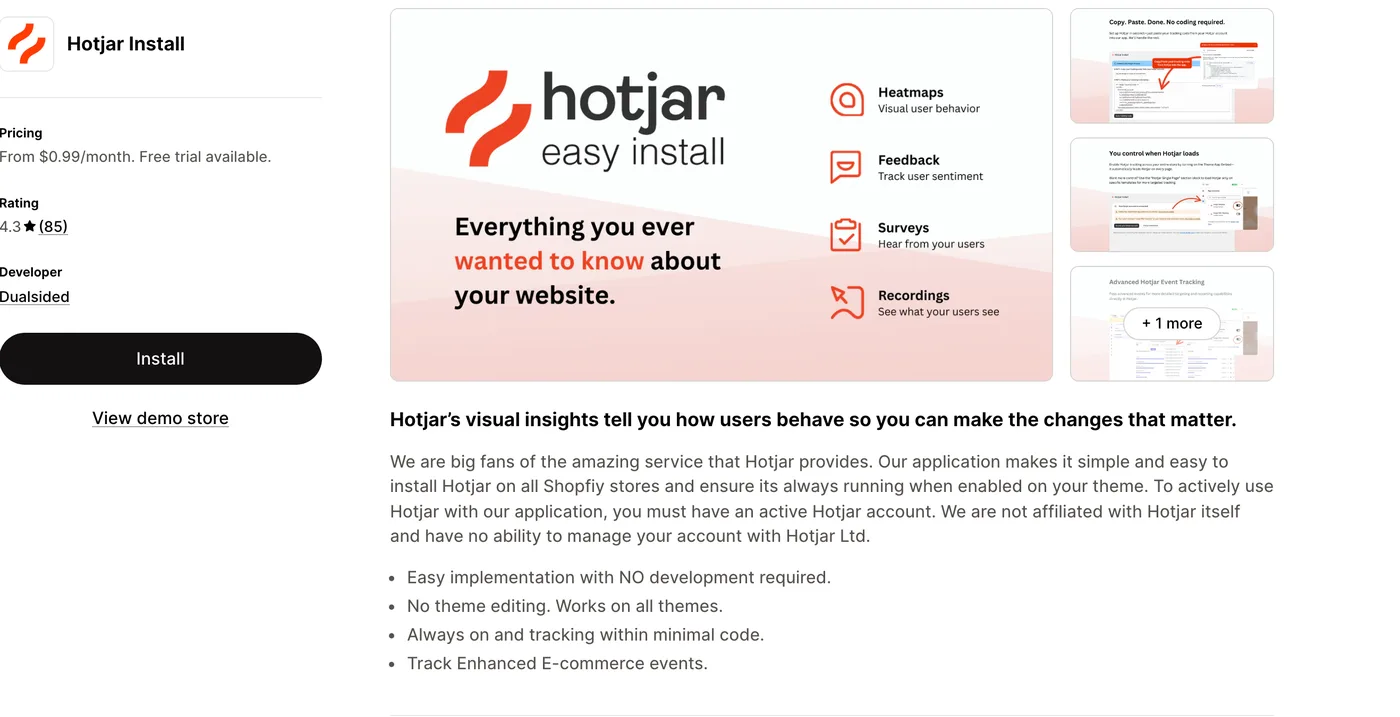
Hotjar is a behavior analytics tool that shows you how visitors actually use your store, through heatmaps, session recordings, and on-site surveys, so you can see where shoppers get stuck instead of only how many of them left. It answers the question standard analytics cannot: not what happened, but why. On Shopify you add Hotjar with a lightweight installer app, and the most-detected one in our data is Hotjar Install by Dualsided, which drops the tracking code onto any theme with no coding and keeps it running. The verdict upfront: for a store serious about improving its conversion rate, Hotjar’s heatmaps and recordings are genuinely useful, showing rage-clicks, ignored buttons, and the exact point people abandon a page. The honest catch is that it is a diagnostic layer, not a dashboard. It sits on top of a separate Hotjar account, the installer app is a third-party helper rather than Hotjar’s own, and you get the most from it when you actively watch and act on what it shows.
If you want to understand and fix on-site friction rather than just measure traffic, Hotjar earns its place. If you only need day-to-day sales and marketing numbers, a standard analytics tool covers that at no extra cost. The sections below cover what Hotjar does, how you add it to Shopify, how widely it is used, what it costs, and the kind of store it fits.
What is Hotjar?
Hotjar is a website behavior analytics and feedback tool. Its heatmaps show where visitors click, move, and scroll, so you can see which parts of a page get attention and which get ignored. Its session recordings let you watch anonymized playbacks of real visits, so you can see exactly where someone hesitated, mis-clicked, or gave up. On top of that sit on-site surveys and feedback widgets that ask visitors what they think, and funnel tools that show where people drop out of a checkout. Together they tell you why your store converts the way it does, the qualitative side that number-only analytics leaves out. Here is how widely Hotjar is detected across Shopify stores.
How do you add Hotjar to Shopify?
Hotjar itself is a separate service, so adding it to Shopify means getting its tracking code onto your theme. The simplest route is an installer app, and the most common one in our data is Hotjar Install by Dualsided. It adds the tracking with no theme editing, works on any theme, keeps itself running, and costs very little, which is why so many stores use it rather than editing code by hand. It is a third-party helper, not built by Hotjar, so you still need your own Hotjar account for the app to feed. You can also add Hotjar through your theme code or a tag manager for free if you are comfortable doing so; the installer app just makes it one-click and maintenance-free.
How popular is Hotjar on Shopify?
Hotjar is one of the most-used behavior tools on Shopify. In our data the Hotjar integration ranks near the top of the analytics and tracking category, and the stores that run it carry far heavier app stacks than average, the mark of conversion-focused brands that treat optimizing their store as its own workstream rather than an afterthought.
What does Hotjar do?
Hotjar turns raw behavior into things you can act on. Heatmaps reveal that a key button sits below the fold, or that shoppers keep clicking an image that is not a link. Session recordings show a real person adding to cart, reaching checkout, then leaving at the shipping step, which points you straight at the problem. Surveys and feedback prompts let you ask a shopper why they did not buy while the visit is fresh.
The common thread is diagnosis. Standard analytics tells you a page has a high exit rate; Hotjar shows you why people leave it. That makes it a natural partner to conversion work: you spot a weak page in your numbers, then use Hotjar to see what is going wrong and test a fix. It is most valuable to stores that will actually watch the recordings and act on them, rather than install it and forget it.
Is Hotjar worth it?
For a store working on its conversion rate, yes. The insight from watching real sessions and heatmaps is hard to get any other way, and fixing even one point of friction on a high-traffic page can pay for the tool many times over. Because the installer app is cheap and Hotjar has a free tier, the cost of trying it is low.
Where it makes less sense is a store that only wants headline numbers, or one without the traffic and time to review what it captures. Hotjar needs visits to record and a person to act on them, so a very small or hands-off store will get little from it. Treat it as a tool for improving the store, not for reporting on it.
What Hotjar costs on Shopify
There are two costs. The installer app, Hotjar Install by Dualsided, starts from under a dollar a month with a free trial, and simply keeps the tracking code running. Hotjar itself is billed separately, with a free tier that covers a limited number of daily sessions and paid plans that scale with traffic and features. So a small store can run Hotjar for very little, and the bill grows only as your traffic and needs do. Budget for both the app and the Hotjar account, not just the app.
Which themes and apps run with Hotjar?
Because we detect both themes and apps, we can see the company Hotjar keeps. Its most common theme is Shopify’s free Dawn, followed by conversion-built and premium themes like Prestige and Impulse. Here are the themes most commonly running it.
| Rank | Theme | % of stores |
|---|---|---|
| 1 | Dawn | 14.0% |
| 2 | Prestige | 6.7% |
| 3 | Shrine PRO | 5.0% |
| 4 | Impulse | 4.4% |
| 5 | Impact | 3.8% |
| 6 | Focal | 2.4% |
| 7 | Broadcast | 2.3% |
| 8 | Horizon | 2.0% |
| 9 | Symmetry | 1.8% |
| 10 | Debut | 1.7% |
On the app side, Hotjar sits inside a full marketing and optimization stack: most stores running it also run a major email platform, and many pair it with reviews, subscriptions, and support tools, which is why Hotjar stores carry app stacks well above average. These are brands actively optimizing, and Hotjar is the tool that tells them what to fix. For the full breakdown of themes, paired apps, and store types, see the live Hotjar usage statistics.
What kinds of stores use Hotjar?
Hotjar stores skew toward conversion-focused brands that treat their store as something to test and improve. They run heavier app stacks than average and take marketing seriously, the kind of operation with enough traffic to make heatmaps and recordings meaningful and enough intent to act on them. These are not weekend shops; they are stores optimizing for every point of conversion.
That profile explains its place in the category. A brand already investing in email, reviews, and conversion tools has the traffic and the mindset to get a return from behavior analytics too. A newer or lower-traffic store usually does not, which is exactly where the next section lands.
Mind privacy and the free-tier limits
Two things to weigh. First, privacy: session recordings capture real visits, so you must handle consent and data properly under rules like GDPR, and use Hotjar’s masking to avoid recording sensitive fields. Second, the free tier caps how many sessions you can record a day, which a busy store will hit quickly, so factor in the paid Hotjar plan if your traffic is high. And remember it only pays off if someone actually watches the recordings and acts on them.
Hotjar pros and cons
Pros
- Heatmaps, session recordings, and surveys show why visitors behave as they do
- Reveals on-site friction that number-only analytics cannot
- Cheap, no-code installer app, plus a free Hotjar tier to start
- A natural partner to conversion-rate work and A/B testing
Cons
- A diagnostic tool, not a metrics dashboard, and only useful if you act on it
- Needs a separate Hotjar account on top of the installer app
- Free tier caps recorded sessions; busy stores need a paid Hotjar plan
- Session recording brings privacy and consent responsibilities
Hotjar runs a session-recording and heatmap script on every page, so it is fair to ask what it costs in speed. Compared fairly against similar stores, the ones running Hotjar pass Google’s speed test (Core Web Vitals) a bit less often, about 61% versus 64% for comparable stores without it, among stores with enough traffic to appear in Google’s Chrome UX Report. The gap is small but real, so it is worth loading Hotjar only on the pages where you actually need the recordings.
Does Hotjar slow a store down?
Compared only against stores on the same theme, running the same number of apps and carrying a similar catalogue, stores with Hotjar Install installed pass Core Web Vitals 1.1 points lower of the time (3,064 comparable stores across 585 matched groups).
| Comparison | With Hotjar Install | Without | Stores compared |
|---|---|---|---|
| Like-for-like stores | 62% | 63.1% | 3,184 with · 34,519 without |
| All stores, unmatched | 61.6% | 68.3% | 3,807 with · 55,135 without |
Who should use Hotjar?
Reach for Hotjar if you have real traffic and you are working to improve your store’s conversion rate. The heatmaps and recordings show exactly where shoppers struggle, which turns guesswork into targeted fixes, and the low-cost installer plus Hotjar’s free tier make it easy to start. It fits naturally alongside A/B testing and CRO work.
Skip it, for now, if your store is small, low on traffic, or you only want sales and marketing numbers. Behavior analytics needs visits to be useful and a person to act on it, so a store without either will not see much return. Hotjar is the right tool once you are actively optimizing and have the traffic to learn from.
Our verdict
Hotjar is our pick for conversion-focused stores that want to see, not guess, why shoppers behave as they do. Add it with the cheap Hotjar Install app, start on Hotjar’s free tier, and set a habit of watching recordings on your weakest pages. If you only need headline traffic and sales numbers, standard analytics is enough on its own.
The closest direct alternative to Hotjar on the Shopify App Store is Lucky Orange, which bundles session recordings and heatmaps with a live chat widget and form analytics. Our Lucky Orange review covers where each one wins.
-
What is Hotjar used for?
Hotjar is used to understand how visitors behave on a website. It provides heatmaps of where people click and scroll, session recordings of real visits, and on-site surveys, so store owners can see where shoppers get stuck and why they do not convert. It is a behavior analytics tool for improving user experience and conversion rate.
-
How do you add Hotjar to a Shopify store?
The easiest way is an installer app that adds Hotjar’s tracking code with no theme editing. The most common in our data is Hotjar Install by Dualsided, which works on any theme and keeps the tracking running. You still need a separate Hotjar account for the data. You can also add Hotjar through theme code or a tag manager for free if you prefer.
-
Is Hotjar free?
Hotjar itself has a free tier that covers a limited number of recorded sessions a day, plus paid plans that scale with traffic and features. The Shopify installer app is billed separately and starts from under a dollar a month with a free trial. So you can start Hotjar for very little, with the cost rising only as your traffic and needs grow.
-
Is the Hotjar app made by Hotjar?
The most-used Shopify installer, Hotjar Install by Dualsided, is a third-party app, not built by Hotjar. It exists to add Hotjar’s tracking code to your store easily and is not affiliated with Hotjar Ltd. You use it alongside your own Hotjar account, which is where the heatmaps, recordings, and settings live.
-
What is the difference between Hotjar and Google Analytics?
They answer different questions. Google Analytics is quantitative: it tells you what happened, like traffic, sources, and conversion rate. Hotjar is qualitative: it shows why, through heatmaps, session recordings, and surveys. Many stores use both, spotting a weak page in analytics and then using Hotjar to see what is going wrong and fix it.
-
Which stores use Hotjar most?
Conversion-focused stores with real traffic that actively optimize their user experience. In our data Hotjar stores run heavier app stacks than average and take marketing seriously. Its most common theme is Shopify’s free Dawn, followed by conversion-built and premium themes.
Is Hotjar worth it for Shopify?
For a store working on conversion, yes. The data shows why it is popular: Hotjar is one of the most-used behavior tools on Shopify, and it is chosen by conversion-focused, app-heavy brands that want to understand on-site friction rather than just measure traffic. Its heatmaps and session recordings reveal exactly where shoppers struggle, and because the installer app is cheap and Hotjar has a free tier, it is low-risk to try. The catch is that it is a diagnostic tool: it only pays off if you have the traffic to learn from and actually act on what it shows. To see how it fits alongside everything else, browse our guide to the best Shopify apps. And any time you want to know a store’s setup, you can scan it to see whether it runs Hotjar and what theme and apps it pairs with.