Kiwi Size Chart & Recommender Review, Tested 2026
Last modified: September 16, 2026

Kiwi Size Chart & Recommender, built by Staytuned, solves one expensive problem: shoppers guessing their size. It adds clean, customizable size charts to product pages and pairs them with an AI recommender that asks a few questions and suggests the right fit. In our detection data it is the most-installed app in the sizing and returns-reduction category, well ahead of the next tool. The verdict upfront: for any apparel or footwear store, Kiwi is close to a default choice, because it is cheap, lightweight, and does the one job that removes the biggest reason for a return, the wrong size. The honest catch is that the parts most stores want, the AI recommender and the cleaner layouts, sit on the paid tiers, and the free plan caps you at a few charts with a watermark.
If you sell clothing, shoes, or anything where fit decides the refund, Kiwi earns its place, and the free plan lets you start at no cost. If your catalog has no real sizing, you do not need it. Compared with a full returns platform like Loop Returns, Kiwi works upstream: it prevents the wrong-size order rather than processing the return after it happens. The sections below use live detection data to show how widely Kiwi is used, what it does, what it costs, and the kind of store it fits.
What is Kiwi Size Chart & Recommender?
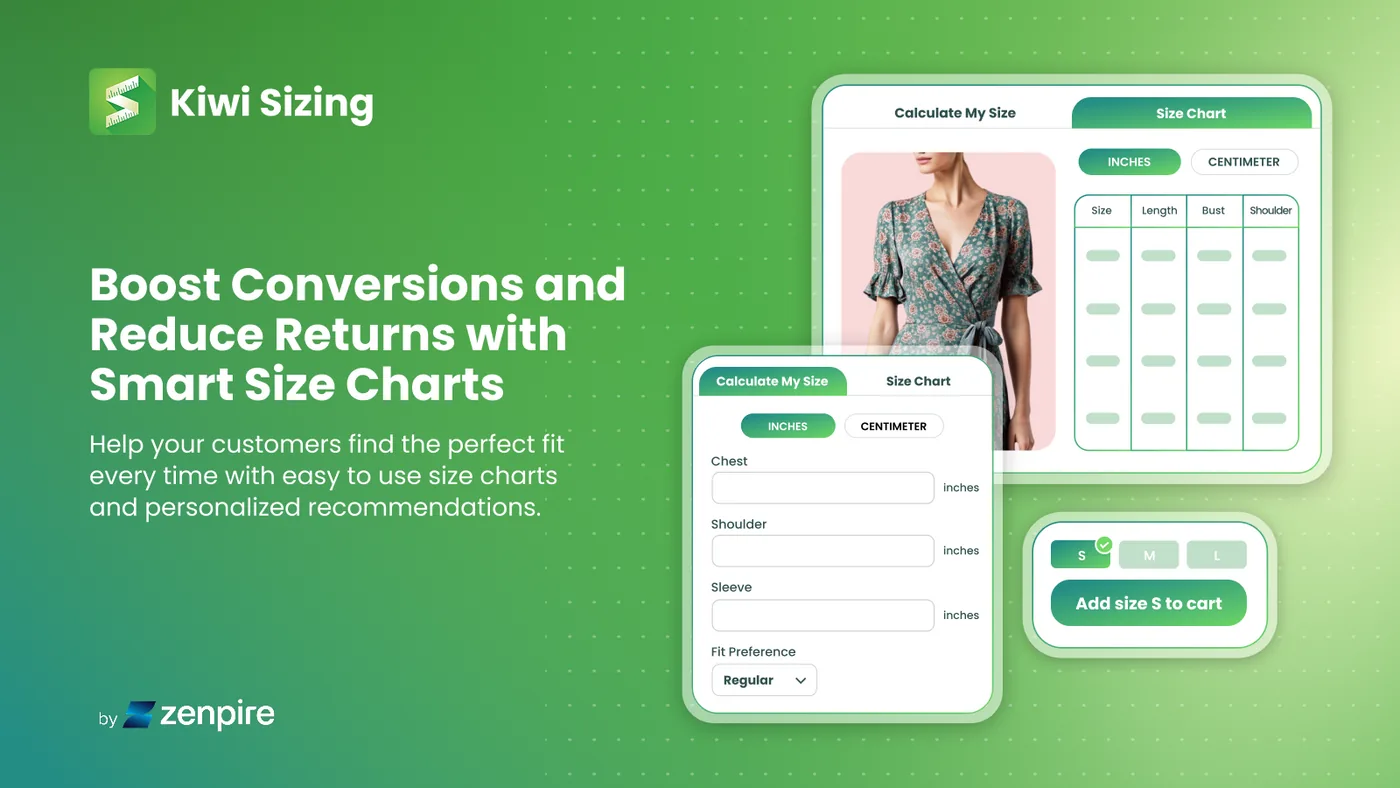
Kiwi is a Shopify app from Staytuned that tackles sizing uncertainty. It adds customizable size charts to product pages and pairs them with an AI recommender that asks a few questions and suggests the right fit. On the reference side it ships more than twenty chart templates, imports measurements in bulk by CSV or straight from a product description, and auto-converts units to a shopper’s local system. On the guidance side, the recommender turns a static chart into a personal answer, which is the part that moves the needle on returns. It holds a 4.7 out of 5 rating from more than 1,200 reviews on the Shopify App Store. Here is how widely it is installed across our dataset.
How popular is Kiwi?
Kiwi is the clear leader in its category. Live detection makes it the most-used app in the sizing and returns-reduction group, installed about 2.8 times as often as the next tool. Our taxonomy files sizing tools under returns because the wrong size is the single biggest driver of apparel refunds, and Kiwi sits at the top of that group. The stores that run it lean heavily toward apparel and footwear, the categories where fit decides whether a sale sticks.
The trend is quietly positive. Kiwi’s share of stores has edged up over the past several months rather than slipping, which fits a market where every apparel store eventually meets the returns problem and looks for a cheap way to cut it.
Kiwi Size Chart & Recommender has held steady at about 3.3% of Shopify stores in our dataset over recent months.
What does Kiwi do?
Three things. First, size charts: more than twenty templates, flexible layouts with images, videos and tabs, bulk import by CSV, and charts that auto-apply by product or collection so new products are covered without extra work. Second, the AI size recommender: a short set of questions that returns a suggested size, which is where the real returns reduction comes from. Third, the housekeeping that makes it painless at scale, automatic unit conversion by a shopper’s location, multi-language auto-translation, and analytics on how the recommender performs.
The point of all of it is confidence at the moment of choice. A shopper who is sure of their size is more likely to buy and far less likely to send the item back, which is why a sizing tool reads in our data as a returns app rather than a display widget.
Is Kiwi worth it?
For an apparel or footwear store, almost always. Sizing returns are expensive and frustrating for both sides, and Kiwi attacks the cause rather than the symptom for a few dollars a month. The free plan is enough to test the idea, and the paid tiers are cheap relative to the cost of even a handful of avoided returns.
Where it makes less sense is a catalog with no real sizing, such as homeware, digital goods or most electronics, where there is nothing for a chart or a recommender to do. And if you want the AI recommender and the cleaner layouts, budget for a paid tier, because the free plan is deliberately limited.
What Kiwi costs
Kiwi has a genuine free plan that covers a few size charts with the Kiwi watermark, which is enough to trial it. Paid tiers start at a low monthly price and step up as you add more charts, the AI recommender, advanced layouts and wider language support, with a free trial on the paid plans. Higher tiers can carry usage charges tied to order volume, so check the current plan details before you commit. For most small apparel stores the entry paid plan removes the watermark and unlocks what matters.
Which themes and apps run with Kiwi?
Because we detect both themes and apps, we can see the company Kiwi keeps. Its most common theme is Impulse, a conversion-focused apparel favourite, followed by Shopify’s free Dawn and the premium Prestige. Here are the themes most often running it.
| Rank | Theme | % of stores |
|---|---|---|
| 1 | Impulse | 16.5% |
| 2 | Dawn | 10.8% |
| 3 | Prestige | 9.5% |
| 4 | Horizon | 4.0% |
| 5 | Broadcast | 3.8% |
| 6 | Impact | 3.8% |
| 7 | Symmetry | 2.9% |
| 8 | Kalles | 2.0% |
| 9 | Minimog OS 2.0 | 1.8% |
| 10 | Ella | 1.7% |
The app side confirms the apparel profile. Most Kiwi stores also run Klaviyo for email and a reviews app, usually Loox or Judge.me, and many pair it with Yotpo or a variant-swatch tool like Swatch King. That is a classic apparel stack built around product pages and social proof. For the full breakdown of themes, paired apps and store types, see the live Kiwi usage statistics.
What kinds of stores use Kiwi?
Kiwi stores are apparel and footwear brands, plus a share of accessories and anything else sold by size. They tend to carry deeper catalogs than average, which fits: the more variants and sizes a store lists, the more a chart and a recommender pay back. These are stores where a size question is the last thing standing between a shopper and checkout.
Watch the plan and the billing
Two things to check. The features most stores actually want, the AI recommender and the cleaner layouts, are on the paid tiers, so judge Kiwi on a paid plan rather than the watermarked free one. And a recurring theme in recent reviews is billing surprises around plan upgrades and trial charges, so read the plan terms and set a reminder before a trial ends.
Kiwi pros and cons
Pros
- The most-used sizing tool on Shopify, with a high App Store rating
- Size charts plus an AI fit recommender that attacks the top cause of returns
- Lightweight, with little measurable impact on store speed
- Genuine free plan and cheap paid tiers
Cons
- The AI recommender and advanced layouts are gated to paid tiers
- Free plan is limited and carries a watermark
- Higher tiers can add usage charges tied to order volume
- Some recent reviews report billing and plan-change surprises
Unlike a chat widget, a size chart is a light addition to a product page, and the data shows it. Compared fairly against similar stores, the ones running Kiwi pass Google’s speed test (Core Web Vitals) at about the same rate as those without it, a difference well within the noise. In other words, Kiwi buys you fewer returns without a speed penalty, which is not something every conversion app can claim.
Does Kiwi slow a store down?
Compared only against stores on the same theme, running the same number of apps and carrying a similar catalogue, stores with Kiwi Size Chart & Recommender installed pass Core Web Vitals 0.9 points higher of the time (1,829 comparable stores across 434 matched groups).
| Comparison | With Kiwi Size Chart & Recommender | Without | Stores compared |
|---|---|---|---|
| Like-for-like stores | 67.8% | 66.9% | 1,909 with · 35,840 without |
| All stores, unmatched | 67.9% | 67.8% | 2,110 with · 56,832 without |
Who should use Kiwi?
Reach for Kiwi if you sell anything by size, apparel, footwear or accessories, and want to cut the returns and hesitation that come from sizing doubt. Start on the free plan to prove the concept, then move to a paid tier for the AI recommender and a watermark-free chart once you see it working. It is one of the highest-return, lowest-effort apps an apparel store can add.
Skip it if your catalog has no sizing dimension, or if you already have a fit solution baked into your theme that is doing the job. For everyone selling clothing or shoes, though, Kiwi is close to a default.
Our verdict
Kiwi is our pick for apparel and footwear stores that want to cut size-related returns without adding weight or cost. Use the free plan to test it, move up for the AI recommender, and let it do the one job that quietly protects both conversions and margins. For a store that does not sell by size, it is simply not needed.
-
What is Kiwi Size Chart & Recommender?
Kiwi is a Shopify app from Staytuned that adds customizable size charts and an AI-powered fit recommender to product pages. It helps shoppers pick the right size, which cuts size-related returns and boosts buying confidence. It is aimed mainly at apparel and footwear stores.
-
Is Kiwi Size Chart free?
Yes. Kiwi has a free plan that covers a few size charts with a Kiwi watermark, enough to trial it. Paid tiers start at a low monthly price and unlock more charts, the AI recommender, advanced layouts and wider language support, with a free trial on the paid plans.
-
Does Kiwi reduce returns?
That is its main purpose. Most apparel returns come from the wrong size, and Kiwi tackles that at the source with clear size charts and an AI recommender that suggests a fit before purchase. In our detection data it is the most-installed app in the returns-reduction category.
-
Does Kiwi slow down a Shopify store?
Not meaningfully. A size chart is a light addition to a product page, and in our data stores running Kiwi pass Google’s Core Web Vitals about as often as comparable stores without it. The speed impact is within the noise.
-
Kiwi vs Loop Returns, which do I need?
They solve different halves of the returns problem. Kiwi works upstream to prevent wrong-size orders with sizing help, while Loop Returns manages the return and exchange after a purchase. High-return apparel stores often add a sizing tool like Kiwi first, then a returns platform as volume grows.
-
What does the AI size recommender do?
It asks the shopper a few questions, such as height, weight or usual size, and suggests the size most likely to fit. It turns a static chart into a personal answer, which is the feature that does the most to cut returns. It sits on Kiwi’s paid tiers.
Is Kiwi Size Chart worth it?
For an apparel or footwear store, yes, and it is close to a default. The data shows why it leads its category: Kiwi is the most-used sizing tool in our dataset, used about 2.8 times as often as the next app, it is lightweight enough to add without a speed penalty, and it attacks the single biggest cause of apparel returns, the wrong size. The only real cautions are that the AI recommender lives on the paid tiers and a few recent reviews flag billing surprises, so trial it on a paid plan and mind the renewal. To see how it fits alongside everything else, browse our guide to the best Shopify apps. And any time you see a store with a slick size chart, you can scan it to check whether it is Kiwi and what theme and apps it runs with.