10 Shopify Themes With a Mega Menu: Stats + Reviews
Last modified: October 22, 2026
| # | Image | Name | Price | Reception | Adoption | CWV pass rate |
|---|---|---|---|---|---|---|
| 1 |

|
Eurus
|
$350 | (607) | 0.4% | 71.4% |
| 2 |
|
Blum
|
$170 | (265) | 0.1% | 73.5% |
| 3 |
|
Be Yours
|
$350 | (695) | 1.1% | - |
| 4 |
|
Venue
|
$380 | (537) | 0.2% | 76.1% |
| 5 |
|
Motion
|
$420 | (557) | 0.8% | 64.5% |
| 6 |
|
Broadcast
|
$420 | (284) | 1.6% | 74.1% |
| 7 |
|
Impulse
|
$500 | (1,304) | 4.0% | 78.5% |
| 8 |
|
Expanse
|
$420 | (340) | 0.4% | 67.4% |
| 9 |
|
Prestige
|
$400 | (873) | 4.4% | 78.4% |
| 10 |
|
Warehouse
|
$320 | (326) | 0.8% | 67.7% |
|
Show More
|
||||||
Data first, opinion second: we track usage across 3.5+ million Shopify stores daily, and have since 2017. The stats tell us what merchants actually use; our editors rank the final picks by quality, pricing, and fit.
How These Themes Compare on Speed
| Theme | CWV pass rate | Few apps | Median LCP |
|---|---|---|---|
| Impulse | 78.5% | 85% | 1.6s |
| Prestige | 78.4% | 86.2% | 1.6s |
| Venue | 76.1% | 85.1% | 1.8s |
| Broadcast | 74.1% | 86.4% | 1.5s |
| Blum | 73.5% | 88.9% | 1.3s |
| Eurus | 71.4% | 79.1% | 1.7s |
| Warehouse | 67.7% | 76.6% | 1.7s |
| Expanse | 67.4% | 79.6% | 1.9s |
| Motion | 64.5% | 72% | 2s |
Eurus
Ideal for: Multi-category stores wanting a four-level image menu
Eurus, by BSS Commerce, runs one of the deepest native mega menus on the Theme Store, reading up to four levels of links and dropping collection thumbnails and swatch filters straight into the panel. That depth suits a store that sorts products by type, brand, and attribute all at once.
Five preset designs give you a head start on the look, and predictive search sits in the header beside the menu. The Eurus Shopify theme review covers how its navigation and filtering hold up in practice. Its one trade-off is a smaller install base than the long-running Archetype themes, so there is less community material to lean on.
Eurus Highlights:
- Mega menu reads up to four levels of nested links
- Collection thumbnails and swatch filters inside the dropdown
- Five ready-made preset designs
- Predictive search built into the header
- Clean accordion collapse on mobile
Eurus Usage Statistics
Eurus usage at a glance, from our Shopify store dataset, refreshed daily.
Eurus Page Speed: Live Data
Blum
Ideal for: Budget-conscious stores needing collection-tab navigation
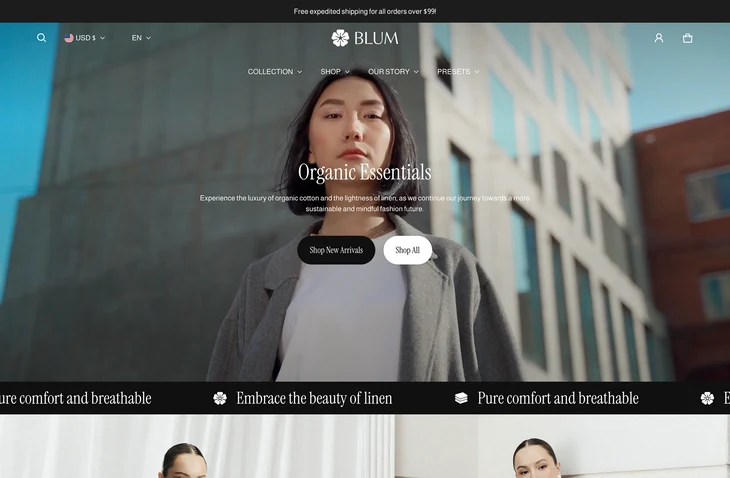
Blum, by eComX, is the lowest-priced theme on this list and still ships a full native mega menu with collection tabs, promo banners, and image-rich columns. For a store that wants organized navigation without a four-figure theme budget, it is the standout value pick.
Five presets cover a range of looks from minimal to media-heavy, and the menu handles both horizontal and vertical layouts. The Blum Shopify theme review goes through its settings in detail. It asks a little more setup effort than a plug-and-play theme, but the payoff is a menu that punches well above its price.
Blum Highlights:
- Full mega menu at the lowest price here
- Collection tabs and promo banners in the panel
- Horizontal and vertical menu layouts
- Five presets from minimal to media-rich
- Image-rich columns without an app
Blum Usage Statistics
Blum usage at a glance, from our Shopify store dataset, refreshed daily.
Blum Page Speed: Live Data
Be Yours
Ideal for: Fashion and lifestyle stores with swatch-rich menus
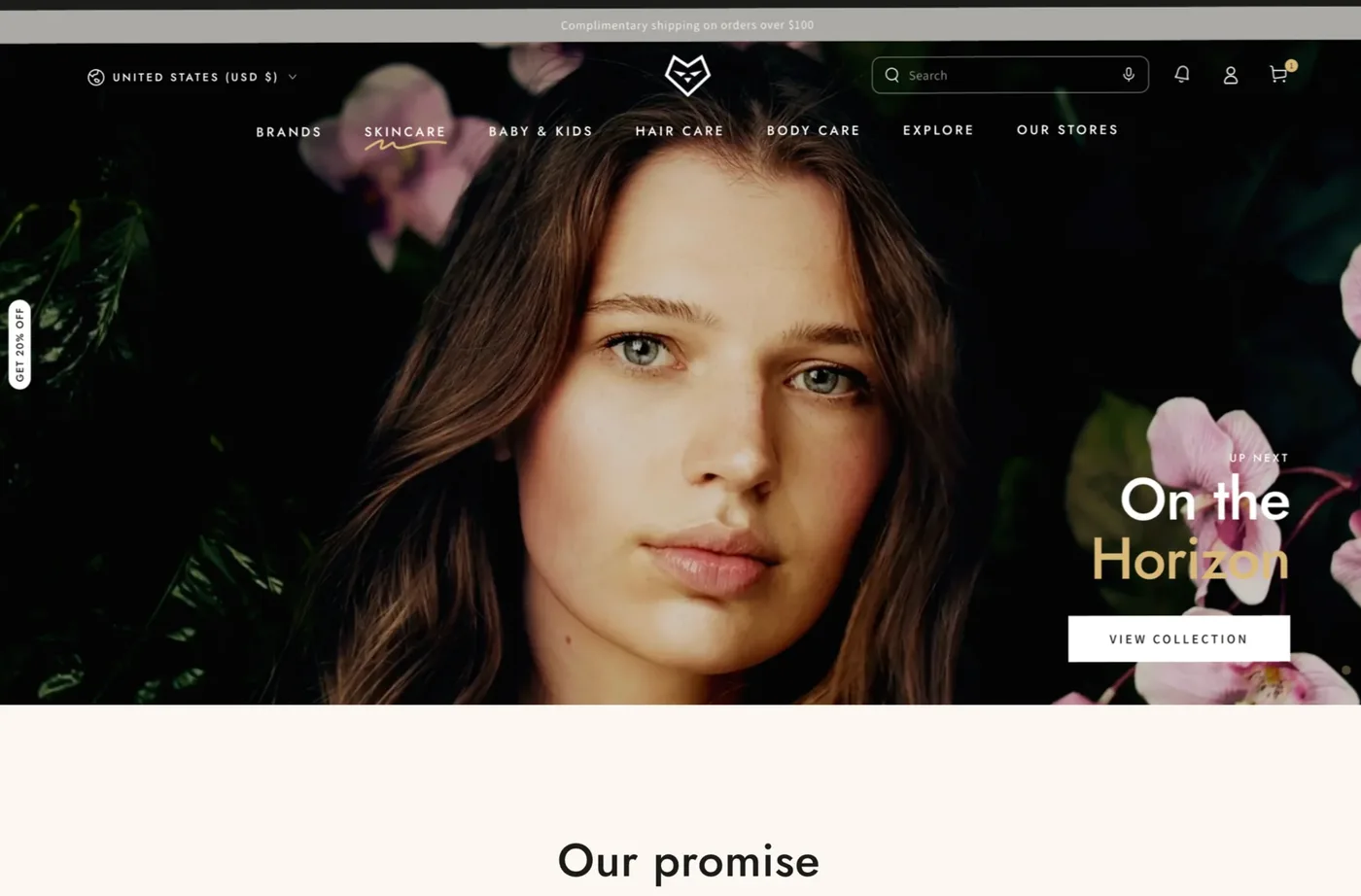
Be Yours, by RoarTheme, pairs a media-rich mega menu with colour swatches and parallax effects, which makes it a natural fit for fashion and lifestyle stores that sell on visuals. The menu carries images and promo popups alongside the usual collection links.
It is one of the more widely detected premium themes here, so it has a large user base and plenty of documentation. The Be Yours Shopify theme review walks through its four presets and menu options. The flip side of all that flexibility is a settings panel that takes time to learn before the theme looks fully polished.
Be Yours Highlights:
- Media-rich mega menu with colour swatches
- Promo popups and banners inside navigation
- Four presets across different store styles
- Parallax and animation effects built in
- Large, well-documented user base
Be Yours Usage Statistics
Be Yours usage at a glance, from our Shopify store dataset, refreshed daily.
Venue
Ideal for: Multi-collection brands wanting a flexible media menu
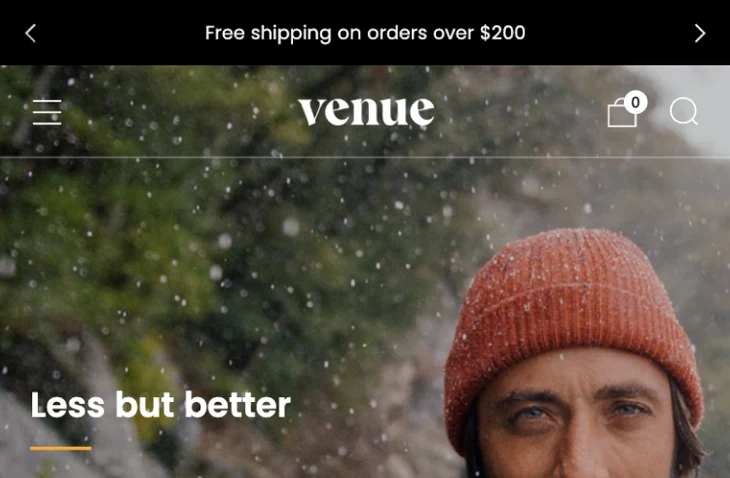
Venue, by Safe As Milk, offers a flexible mega menu that mixes text columns with images and promotional blocks, backed by five presets that shift the mood from bright to muted. It is built for brands that run several collections and want the menu to feel designed rather than functional.
The theme leans on a clean, editorial layout that carries through from the menu to the product page. The Venue Shopify theme review covers its presets and navigation. Its developer is smaller than the household names on this list, so expect a tighter support community even though the theme itself is polished.
Venue Highlights:
- Flexible mega menu with mixed text and media columns
- Five presets spanning bright to muted looks
- Editorial layout that extends past the menu
- In-menu promo blocks
- Mobile-friendly accordion navigation
Venue Usage Statistics
Venue usage at a glance, from our Shopify store dataset, refreshed daily.
Venue Page Speed: Live Data
Motion
Ideal for: Video-first brands with animated dropdown promos
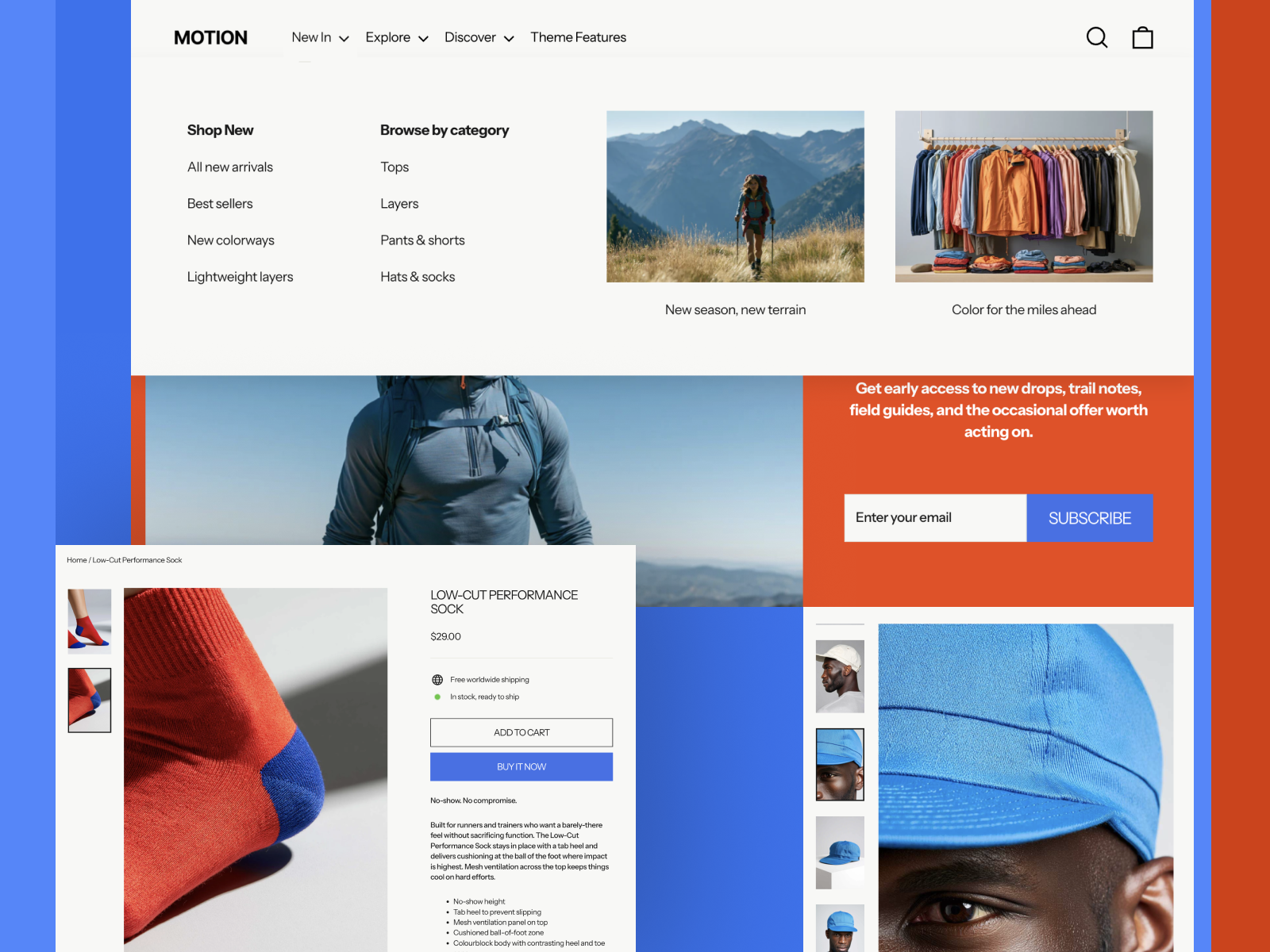
Motion, by Archetype Themes, builds its mega menu automatically once your navigation has three levels of links, and it adds animated transitions and video support that few other menus match. For a brand that sells on motion and storytelling, the dropdown becomes part of the experience rather than plain navigation.
Three presets keep the look focused, and the menu can hold promo blocks and video right in the panel. The Motion Shopify theme review details how its animation holds up on mobile. Because video and animation add weight, keep menu assets optimized so the motion does not cost you load speed.
Motion Highlights:
- Mega menu auto-builds from three levels of links
- Animated transitions and video support in the panel
- Promo blocks inside the dropdown
- Three focused preset designs
- Part of the native Archetype mega menu family
Motion Usage Statistics
Motion usage at a glance, from our Shopify store dataset, refreshed daily.
Motion Page Speed: Live Data
Broadcast
Ideal for: Content-led brands blending menu promos and social proof
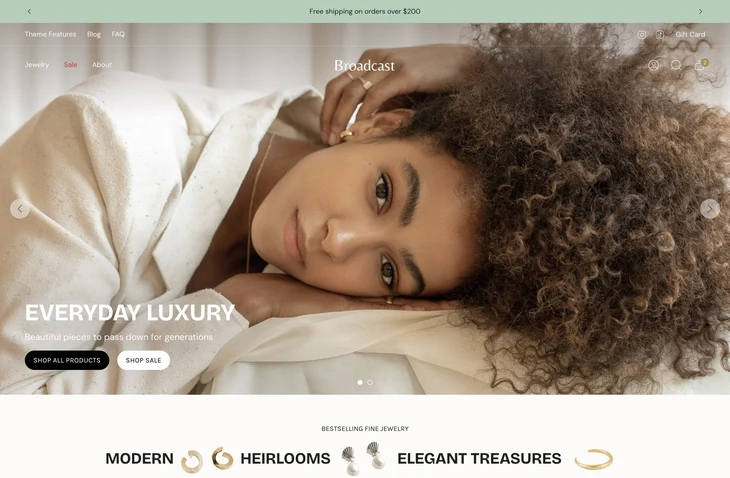
Broadcast, by Presidio, combines a native mega menu with in-menu promos, enhanced search, and the social-proof sections the theme is known for. It is a strong fit for content-led stores that treat the menu as another place to surface a campaign or a featured collection.
Five presets give the theme range, and it sits among the more widely detected options here. The Broadcast Shopify theme review covers its navigation and marketing features. It is content-forward by design, so a lean catalog with only a few collections may not use everything the theme offers.
Broadcast Highlights:
- Mega menu with in-menu promos and enhanced search
- Social-proof and testimonial sections built in
- Five presets across different brand styles
- Widely detected on live Shopify stores
- Long-form layouts that keep the buy button in view
Broadcast Usage Statistics
Broadcast usage at a glance, from our Shopify store dataset, refreshed daily.
Broadcast Page Speed: Live Data
Impulse
Ideal for: Growing catalogs needing promo tiles inside the menu
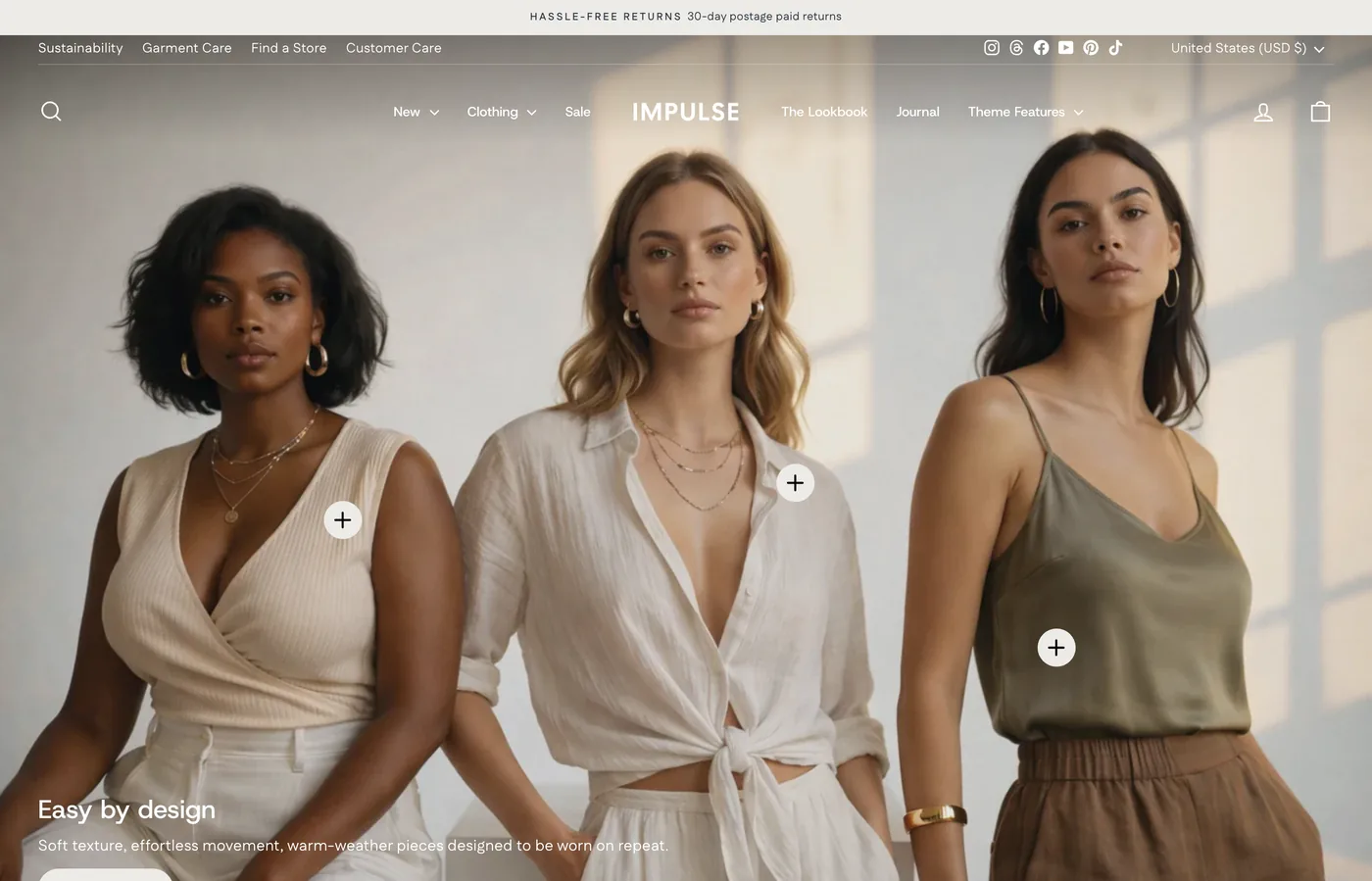
Impulse, by Archetype Themes, is the most-reviewed and most-detected theme on this list, and its mega menu is a big reason why. The panel holds promo tiles, sub-listings, and HD imagery, and it builds automatically once your navigation reaches three levels of links.
Four presets cover everything from apothecary to outdoor gear, and the menu scales cleanly as a catalog grows. The Impulse Shopify theme review breaks down its navigation and conversion features. It is the priciest theme here, so it makes most sense for a store that will actually use its depth rather than a small shop.
Impulse Highlights:
- Mega menu with promo tiles and sub-listings
- Auto-builds from three levels of navigation links
- HD imagery and video banners in the panel
- Four presets for different store types
- Most-reviewed mega menu theme on this list
Impulse Usage Statistics
Impulse usage at a glance, from our Shopify store dataset, refreshed daily.
Impulse Page Speed: Live Data
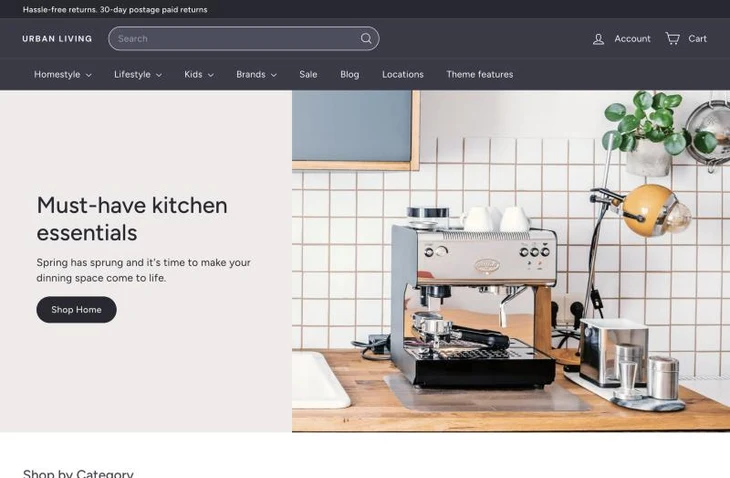
Expanse
Ideal for: Large catalogs with deep collection trees
Expanse, by Archetype Themes, is built for large catalogs, and its mega menu shows it. The panel carries collection images across multiple columns and reads deep link structures, so a store with dozens of categories can lay them all out without crowding the header.
Five presets, including sibling designs Fetch and Gem, give it range across catalog-heavy niches. The Expanse Shopify theme review covers its navigation and merchandising tools. Its density is the point for a big catalog, but a small store will find it more theme than it needs.
Expanse Highlights:
- Mega menu built for deep, multi-column catalogs
- Collection images across the dropdown panel
- Reads deep nested link structures
- Five presets including Fetch and Gem
- Native Archetype mega menu with large-catalog focus
Expanse Usage Statistics
Expanse usage at a glance, from our Shopify store dataset, refreshed daily.
Expanse Page Speed: Live Data
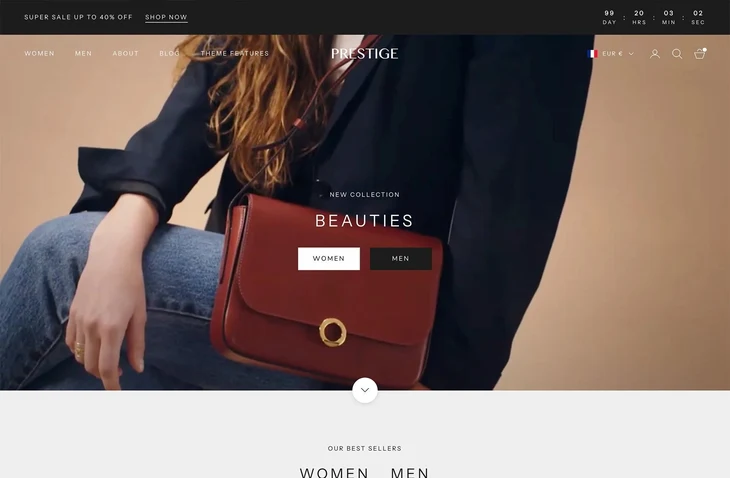
Prestige
Ideal for: Premium fashion stores with shop-the-look menus
Prestige, by Maestrooo, runs an image-focused mega menu built for premium fashion, with shop-the-look blocks, in-menu promos, and predictive search that shows product images. It is one of the most widely detected themes on Shopify, and the menu is central to its upscale feel.
Five presets, from Couture to Signature, tune the look for different luxury niches. The Prestige Shopify theme review details its navigation and merchandising features. Its defaults lean fashion-first, so a utility or tech catalog may need more restyling than a clothing brand would.
Prestige Highlights:
- Image-focused mega menu with shop-the-look blocks
- Predictive search with product images
- In-menu promos and lookbook links
- Five presets tuned for premium niches
- Among the most-detected themes on Shopify
Prestige Usage Statistics
Prestige usage at a glance, from our Shopify store dataset, refreshed daily.
Prestige Page Speed: Live Data
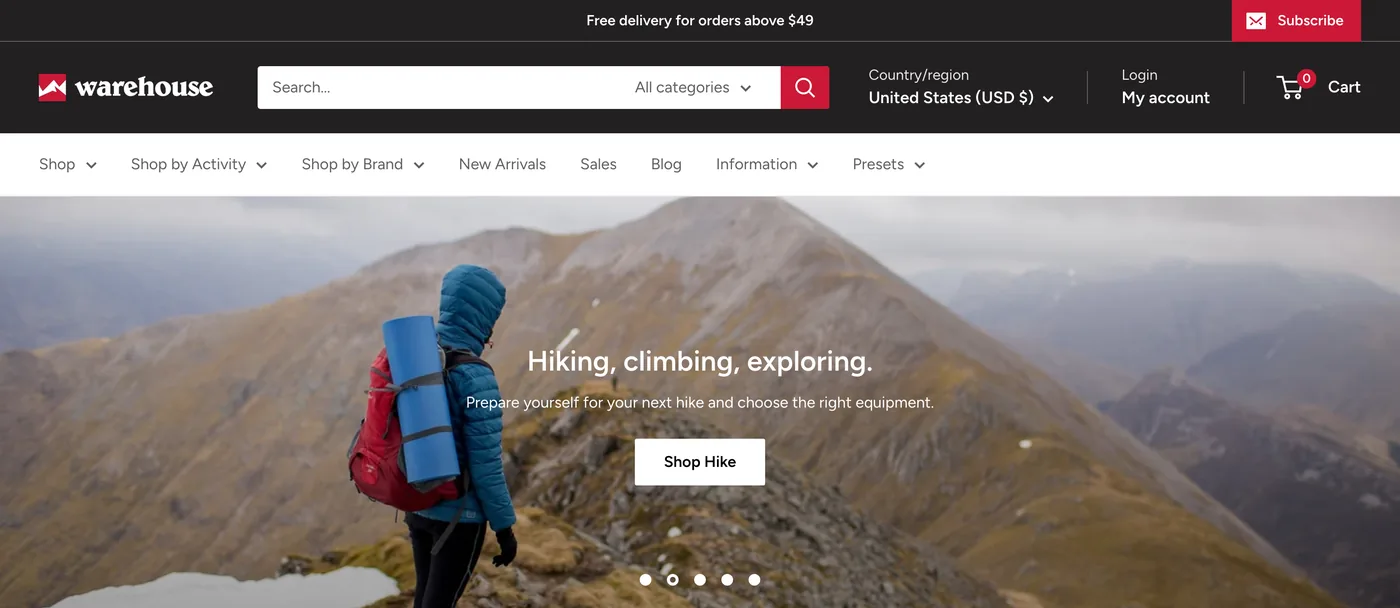
Warehouse
Ideal for: Very large catalogs with in-menu filters
Warehouse, by Maestrooo, is purpose-built for very large catalogs, and its mega menu pairs with product filtering and predictive search to keep a huge inventory browsable. The panel organizes many collections into columns with in-menu promos where you need them.
Three presets keep the look practical rather than flashy. The Warehouse Shopify theme review covers how its filtering and navigation handle scale. It holds the lowest rating of the ten here and leans utilitarian, so it rewards stores that value function over a designed, image-heavy menu.
Warehouse Highlights:
- Mega menu paired with product filtering and sorting
- Predictive search for very large catalogs
- Collections organized into practical columns
- In-menu promo banners where needed
- Three presets built for function over flash
Warehouse Usage Statistics
Warehouse usage at a glance, from our Shopify store dataset, refreshed daily.
Warehouse Page Speed: Live Data
-
Which Shopify themes have a built-in mega menu?
Premium themes including Impulse, Motion, Expanse, Prestige, Eurus, Be Yours, Broadcast, Blum, Venue, and Warehouse ship a native mega menu from the Shopify Theme Store. That means you can run multi-column, image-rich navigation without adding an app, and most of them let you place collection images and promos inside the dropdown.
-
Can you add a mega menu to a Shopify theme without an app?
Yes, if your theme includes one natively. Archetype themes such as Impulse, Motion, and Expanse build the mega menu automatically once your navigation has three levels of links, which you set in your Shopify admin under Content and then Menus. A theme without the feature needs a mega menu app instead.
-
Do free Shopify themes have a mega menu?
Not a true one. Free themes like Dawn and Sense support standard dropdown menus but not a full multi-column mega menu with images and promo blocks. To get that on a free theme, you add a mega menu app, or you move to a premium theme that includes the feature built in.
-
Does a mega menu slow down a Shopify store?
It can if the menu is packed with large, unoptimized images. A well-built native mega menu loads with the theme and adds little weight. The Core Web Vitals pass rate shown on each theme card tells you how these themes perform on real stores, so you can choose one that stays fast under a heavy menu.
-
What is the difference between a dropdown and a mega menu?
A standard dropdown shows a single short list of links under one menu item. A mega menu opens a wide panel with several columns, headings, images, and sometimes featured products or promotions. The mega menu suits stores with many collections, while a simple dropdown is fine for a small catalog.
-
Can you put images in a Shopify mega menu?
Yes, on themes that support it. Image-rich mega menus on themes like Prestige, Impulse, and Be Yours let you add collection thumbnails, banners, or a featured product inside the dropdown. Text-only menus are lighter but less visual, so check a theme’s demo to confirm the menu does what you want before buying.
Choosing your mega menu theme
The right mega menu theme comes down to catalog size and brand style. A multi-category store on a budget is well served by Blum or Eurus. Fashion and lifestyle brands get the most from Prestige or Be Yours, where the menu can carry lookbook images and swatches. Very large catalogs lean on Warehouse or Expanse for deep collection trees and in-menu filters, while Motion and Broadcast suit video and content-led stores that want promotions inside the dropdown.
If you would rather keep a free theme, Dawn and Sense cover the basics with standard dropdowns, and a dedicated app can add a full mega menu on top. For more ways to shortlist a theme by style, speed, and strategy, browse our Shopify theme collections.