PageFly Landing Page Builder Review 2026
Last modified: September 29, 2026
PageFly Landing Page Builder is a drag-and-drop page builder for Shopify, the app you reach for when your theme’s built-in sections run out and you need a custom landing page, product page, or homepage without touching code. In our detection data it is the most-used landing page app on Shopify, sitting on around one in fourteen stores, and unlike most apps in its class its adoption is climbing rather than slipping. The verdict upfront: for a store that wants pages its theme cannot build, PageFly is the market-leading choice, with a free plan to start, an AI page generator, 320-plus templates, and built-in A/B testing and heatmaps. The honest catch is that a page builder is a commitment. Pages you build in it live inside the app, it adds a learning curve, and an over-built page can slow your store if you are not careful.
If you run promotions, launches, or a conversion-focused store and your theme’s layouts feel limiting, PageFly earns its place and is rated accordingly, holding a 4.9 out of 5 across more than 5,600 reviews. If your theme’s sections already cover what you need, a page builder is machinery you can skip. The sections below use live detection data to show how widely PageFly is used, what it does, what it costs, and the kind of store that actually needs it.
What is PageFly Landing Page Builder?
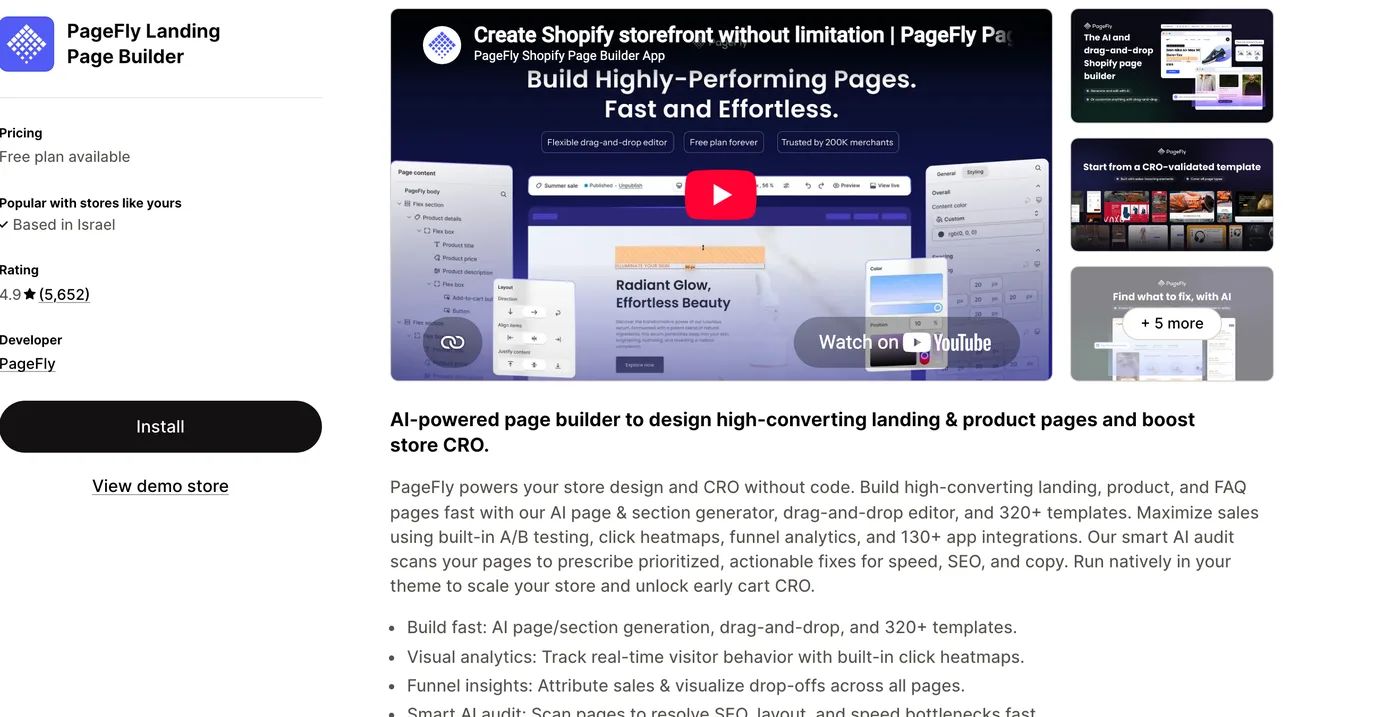
PageFly Landing Page Builder is an app made by PageFly that lets you design pages visually and publish them straight to your Shopify store. Instead of editing theme code or living inside your theme’s fixed sections, you drag and drop elements onto a blank canvas, or start from one of more than 320 templates, to build landing pages, product pages, homepages, and FAQ pages. It adds an AI page and section generator, A/B testing, click heatmaps, funnel analytics, and an AI audit that flags speed, SEO, and copy issues, plus integrations with more than 130 other apps. Its pricing is Free, or from $24/mo, and it holds a 4.9 rating across more than 5,600 reviews. Here is how widely it is installed across our dataset.
How popular is PageFly?
PageFly is the clear leader in its category. Live detection makes it the most-used landing page app on Shopify, well ahead of the next builder in the ranking. It also tells you something about the stores that run it: they carry far heavier app stacks than the typical store, the mark of established, conversion-focused brands rather than small shops.
One trend sets PageFly apart from most apps we track. Where a lot of tools are slowly losing share, PageFly’s adoption has been climbing month over month, a sign that demand for custom, conversion-built pages keeps growing as more stores outgrow what their theme can do on its own.
PageFly ✦ AI Page Builder has slipped from 7.3% to 6.0% of Shopify stores in our dataset over recent months.
What does PageFly do?
PageFly does one big job: it lets you build pages your theme cannot. The core is a visual, drag-and-drop editor where you place sections, columns, and elements on a canvas and see the result as you go, with more than 320 templates to start from and an AI generator that can draft a page or section for you. You can build landing pages for a campaign, richer product pages, a custom homepage, or an FAQ page, then publish them into your live theme.
Around that sits a conversion toolkit: A/B testing to compare two versions of a page, click heatmaps and funnel analytics to see where visitors drop off, and an AI audit that scans a page and suggests fixes for speed, SEO, and copy. That combination is why PageFly is used less as a novelty and more as a serious CRO tool, and it is also why the value depends on actually needing custom pages: the toolkit only pays off when you are building and testing pages that move the needle.
Is PageFly worth it?
For a store that has outgrown its theme, yes. When you need a landing page for a launch, a product page with a layout your theme cannot produce, or a homepage built around a specific campaign, PageFly gives you that control without a developer, and the built-in testing and analytics help you make those pages convert. This is why it skews toward busy, conversion-led brands rather than new stores.
Where it makes less sense is when your theme already does the job. Modern Shopify themes build flexible sections, so if your layouts already look the way you want, a page builder adds cost, a learning curve, and pages that live inside an app rather than your theme. Treat PageFly as the answer to a real limitation, not a default install.
What PageFly costs
PageFly has a free plan that covers a limited number of published pages, which is enough to test the app or run a single landing page. Paid plans scale up through higher tiers for stores that need more published pages and the full toolkit. It is priced as a serious CRO tool rather than a cheap add-on, so match the plan to how many custom pages you actually publish.
Which themes and apps run with PageFly?
Because we detect both themes and apps, we can see the company PageFly keeps. Its most common theme is Shopify’s free Dawn, followed by conversion-built premium themes like Prestige and Impulse, which fits a tool used to push those themes further than their stock sections allow. Here are the themes most commonly running it.
| Rank | Theme | % of stores |
|---|---|---|
| 1 | Dawn | 15.2% |
| 2 | Prestige | 6.2% |
| 3 | Impulse | 4.6% |
| 4 | Horizon | 4.4% |
| 5 | Impact | 3.2% |
| 6 | Shrine PRO | 3.1% |
| 7 | Broadcast | 1.9% |
| 8 | Ella | 1.9% |
| 9 | Focal | 1.8% |
| 10 | Refresh | 1.6% |
The app side is the real tell. Most stores running PageFly also run a reviews app and a subscription tool, and many pair it with a major email platform and analytics, so they carry heavier app stacks than the average store. These are full conversion-and-retention operations, and PageFly is the piece that gives their pages a custom look. For the full breakdown of themes, paired apps, and store types, see the live PageFly usage statistics.
What kinds of stores use PageFly?
PageFly stores skew toward conversion-focused businesses that treat their pages as something to design and test, not just fill in. Subscription and direct-to-consumer brands are well represented, and the wider profile is established stores with the traffic, and the incentive, to build custom landing and product pages. These are operations where a better page pays for itself.
That profile explains the heavy app stacks and the category leadership. A store already investing in reviews, subscriptions, email, and analytics has the volume and the maturity to get a return from custom pages too. A newer or smaller store on a flexible theme usually does not, which is exactly where the next section lands.
Watch the page weight
The trap with any page builder is building heavy pages that slow your store. A landing page stuffed with sliders, videos, and animations can hurt load time, and speed affects both conversions and rankings. Use PageFly’s built-in audit, keep pages lean, and test load speed on mobile before you publish. The tool can build fast pages or slow ones; the discipline is yours.
PageFly pros and cons
Pros
- The most-used and highest-rated landing page builder on Shopify
- Drag-and-drop editor with 320-plus templates and AI page generation
- Built-in A/B testing, heatmaps, and funnel analytics for CRO
- Free plan to start, plus a large template and integration library
Cons
- A learning curve compared with editing theme sections
- Over-built pages can slow your store if you are not careful
- Pages live inside the app rather than your theme
- Priced as a serious tool; costs climb with published pages
Page builders have a reputation for slowing stores down, so speed is a fair thing to check with PageFly. On plain averages, stores using it can look a little slower, but that mostly reflects the bigger, more complex stores that reach for a page builder in the first place. Compared fairly against similar stores, the ones running PageFly pass Google’s speed test (Core Web Vitals) slightly more often, not less, about 65% versus 62% for comparable stores without it, among stores with enough traffic to appear in Google’s Chrome UX Report.
Does PageFly slow a store down?
Compared only against stores on the same theme, running the same number of apps and carrying a similar catalogue, stores with PageFly ✦ AI Page Builder installed pass Core Web Vitals 2.5 points higher of the time (4,290 comparable stores across 698 matched groups).
| Comparison | With PageFly ✦ AI Page Builder | Without | Stores compared |
|---|---|---|---|
| Like-for-like stores | 63.8% | 61.4% | 4,589 with · 35,602 without |
| All stores, unmatched | 63.3% | 68.3% | 5,037 with · 53,905 without |
Who should use PageFly?
Reach for PageFly if your store needs pages your theme cannot build, custom landing pages for campaigns, richer product pages, or a bespoke homepage, and you want to design and test them without a developer. For conversion-led and subscription brands, the editor plus the built-in testing and analytics pay for themselves, and the free plan lets you try the idea before you commit.
Skip it, or wait, if your theme’s sections already give you the layouts you want. A flexible modern theme covers a lot of ground for free, and adding a page builder you do not need means extra cost, a learning curve, and pages tied to an app. PageFly is the right tool once your theme becomes the limitation, and an unnecessary one before then. The main alternative to weigh is GemPages, the other leading Shopify page builder, with its own Shopify install data. Our EComposer review covers a newer, freemium builder in the same category.
Our verdict
PageFly is our pick for stores that have outgrown their theme and want to design and test custom pages without code. Start on the free plan, use the built-in audit to keep pages fast, and match the paid tier to how many pages you publish. If your theme already does the job, you do not need it yet.
-
What is PageFly used for?
PageFly Landing Page Builder is used to design custom pages on Shopify without code. Store owners use its drag-and-drop editor to build landing pages, product pages, homepages, and FAQ pages that go beyond their theme’s built-in sections. It also adds A/B testing, heatmaps, and analytics to help those pages convert.
-
Is PageFly free?
Yes, PageFly has a free plan that covers a limited number of published pages, which is enough to test the app or run a single landing page. Its paid pricing is Free, or from $24/mo, scaling up for stores that publish more pages and want the full toolkit. Most stores start free and upgrade only when they need more.
-
Does PageFly slow down your store?
It can if you build heavy pages. A page loaded with sliders, videos, and animations will be slower than a simple one, and PageFly gives you the tools to build either. Use its built-in speed audit, keep pages lean, and test load time on mobile before publishing to avoid a conversion and ranking hit.
-
Is PageFly better than a theme’s page sections?
It depends on your needs. Modern Shopify themes build flexible sections that cover a lot for free, so if your layouts already look right, you may not need a builder. PageFly is worth it when you need custom pages your theme cannot produce, or want built-in A/B testing and analytics that themes do not include.
-
Do you need to know how to code to use PageFly?
No. PageFly is a visual, drag-and-drop editor, so you build pages by placing and arranging elements rather than writing code. It also offers more than 320 templates and an AI page generator to start from. There is a learning curve to the editor, but it does not require development skills.
-
Which stores use PageFly most?
Conversion-focused stores that design and test their pages. In our data PageFly skews toward established, direct-to-consumer and subscription brands that run heavy app stacks, well above the platform average. Its most common theme is Shopify’s free Dawn, followed by conversion-built premium themes.
Is PageFly worth it?
For a store that has outgrown its theme, yes. The data shows why it leads its category: PageFly is the most-used landing page app on Shopify, one of the few whose adoption is still climbing, and it is chosen by conversion-focused, app-heavy brands that treat their pages as something to design and test. Start on the free plan, lean on the AI audit to keep pages fast, and match the paid tier to how many pages you publish. The only real trap is building heavy pages that slow your store, so keep them lean. To see how it fits alongside everything else, browse our guide to the best Shopify apps, or read our take on page builders versus theme sections. And any time you spot a store with a slick custom landing page, you can scan it to see whether it is built with PageFly and what theme and apps it pairs with.